
Salesforce has become an essential customer relationship management (CRM) platform for businesses, aiding them in establishing strong connections with their customers. However, due to the large amount of data stored in Salesforce, it is crucial to ensure its security and integrity. With options ranging from Salesforce’s native solutions to specialized platforms like Own and GRAX (formerly known as CapStorm), choosing the right solution becomes a strategic decision.
Backing up and recovering critical Salesforce data is essential, and there are numerous solutions available to choose from. However, selecting the best one for your specific needs can be challenging. Let’s explore the features and benefits of Salesforce’s native solution and Own to help you decide on the best data protection solution for your Salesforce org.
What Does Salesforce Offer for Backups?
Salesforce’s platform provides its users with various backup solutions specifically designed to protect their important data assets. One of the most significant features is the Weekly Export Service. This feature allows users to manually export their Salesforce data or schedule automated exports on a weekly basis. This service is a fundamental backup mechanism, allowing users to capture their data periodically and store it externally for safekeeping.
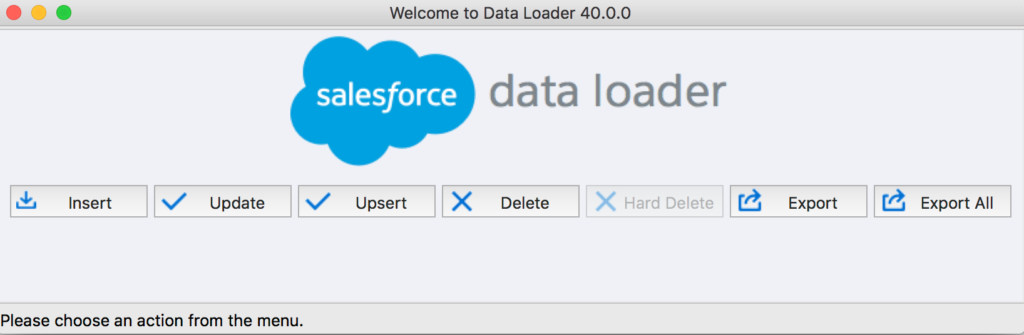
In addition to this, Salesforce offers the Data Loader tool, which is primarily designed for data migration tasks between Salesforce instances, but it can also serve as a valuable asset for backup purposes. The Data Loader tool empowers users to perform granular data operations, such as selective exports of specific datasets or records, providing enhanced flexibility and control over the backup process.
Scale Without Losing Control
See how GRAX supports growth without sacrificing performance or governance.\
What Does Own Offer for Backups?
Own, formerly known as OwnBackup, is a cloud-to-cloud backup and recovery platform designed specifically for Salesforce data protection. It specializes in providing comprehensive backup, restore, and sandbox seeding solutions for businesses that rely on Salesforce as their CRM platform. With Own, organizations can securely back up their Salesforce data, and attachments to protect against accidental deletion, data corruption, or security breaches into Own/Salesforce’s storage.’.
What to Consider When Choosing Between Salesforce and Own
When evaluating between Salesforce’s native backup solutions and Own, consider the following factors:
- Data Criticality: Salesforce provides basic backup solutions that are suitable for less critical data. Own, on the other hand, offers more comprehensive features, such as granular recovery options, ensuring that even the most mission-critical data can be restored swiftly and efficiently in case of any loss or downtime.
- Compliance Requirements: Salesforce has expanded its native security and privacy capabilities in recent years, particularly following its acquisition of Own, with many of the advanced backup, auditability, and governance features historically associated with Own now becoming part of Salesforce’s broader security and privacy offerings, including solutions like Salesforce Shield. While this brings more robust compliance support directly into the platform, organizations should still evaluate how these capabilities are implemented in practice, especially when it comes to data control, retention policies, and independent auditability, ensuring they meet the specific requirements of regulatory frameworks such as GDPR or HIPAA.
- Cost: Salesforce’s native solutions are typically more cost-effective upfront included in standard subscription packages. However, Own’s advanced features come at a premium. It’s essential to weigh the additional cost against the value of enhanced protection and compliance features that Own provides, aligning with your organization’s priorities and budgetary constraints.
- Scalability: As your organization grows, scalability becomes crucial. While Salesforce’s native solutions can handle moderate growth, Own’s architecture is designed for scalability, ensuring expansion without compromising data integrity or performance. It offers flexible storage options and efficient data management tools to accommodate evolving business needs.
- User-Friendliness: Ease of implementation and ongoing management is vital for user adoption and operational efficiency. Salesforce’s native solutions are integrated into the platform, offering familiarity to users. Own’s interface is designed for administrators and end-users alike, which can simplify backup processes and minimize training requirements.
GRAX: Unleashing Salesforce Data Potential
CapStorm, now a part of GRAX, is a self-hosted Salesforce data management solutions provider that offers Salesforce users a pathway to ownership and control over data. With its commitment to excellence and customer satisfaction, the solution makes Salesforce data accessible and verifiable off-platform, allowing users to make better decisions. Additionally, before the merger with GRAX, CapStorm established itself as a trusted partner for organizations seeking to leverage the power of Salesforce data.
As part of GRAX, the solution still offers dynamic data masking and comprehensive data migration solutions, which enhance its value proposition, providing organizations with holistic data management capabilities tailored to their unique requirements.
Check out a video of GRAX’s capabilities
Watch how GRAX simplifies backup, recovery, and data control without added complexity.
Who Should Use GRAX (Formerly CapStorm) vs. Own vs. Salesforce
Choosing between GRAX, Own, or Salesforce ultimately depends on the specific business requirements needed for your Salesforce org, management preferences, and the level of granularity you need for Salesforce data protection. Here are some of the reasons you might choose a self-hosted Salesforce data management solution like GRAX:
Use GRAX If:
- Efficient Salesforce backup and recovery is crucial: If you need reliable on-prem backups and efficient recovery options, GRAX provides robust data protection solutions to ensure that your Salesforce data is securely stored and quickly recoverable when needed.
- Cost-effectiveness matters: With competitive pricing plans, GRAX provides a cost-effective choice for businesses with budget constraints. If you seek essential features without breaking the bank, GRAX could be the ideal fit for you, delivering value without compromising on quality.
- Highly regulated industries are your focus: Whether it’s HCLC, PubSec, or FinServ, GRAX’s solutions enable your business to meet global compliance requirements and ensure data security. GRAX’s compliance solution offers granular control over data classification and encryption at the field level, providing advanced data protection for streamlined data controls tailored to highly regulated sectors.
- Scalability is in your future: GRAX is scalable and adaptable to businesses of all sizes. Whether you’re a small startup or a large enterprise, GRAX can grow with your Salesforce data protection needs, ensuring seamless scalability and flexibility as your business expands.
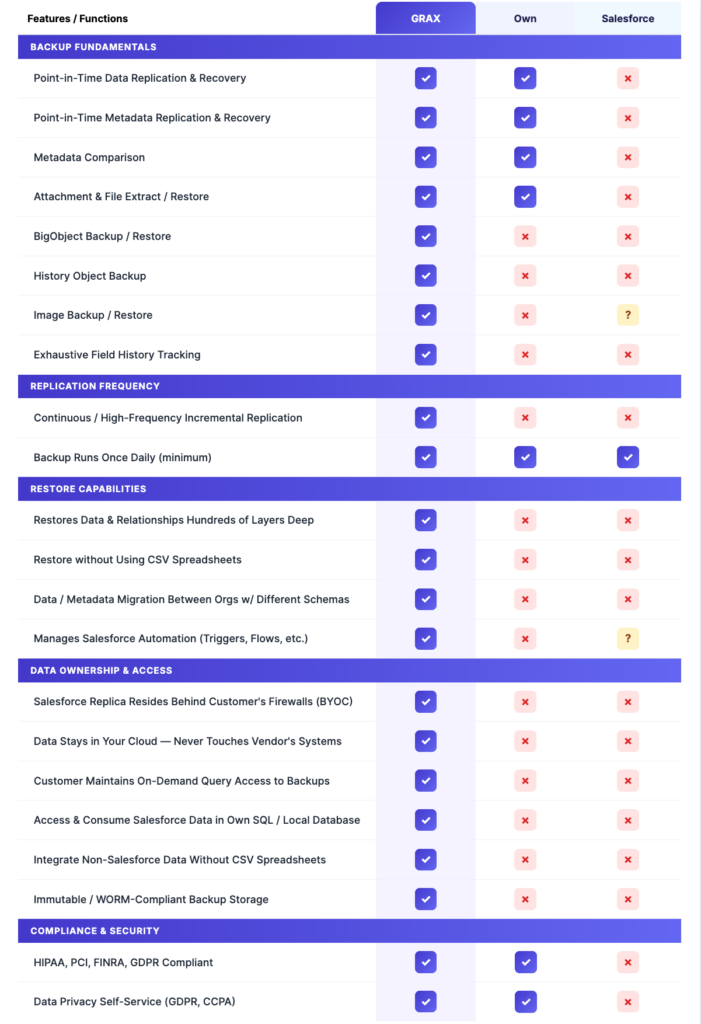
Below is a more in-depth comparison of features offered by GRAX versus Own and Salesforce:
Ready to See the Difference for Yourself?
Experience GRAX with a free trial and test backup, recovery, and control in your own environment.
What Customers Say
All three solutions are available for review on G2, the leading peer-to-peer software product review site. Additionally, GRAX and Own are listed on the Salesforce AppExchange.
GRAX’s aggregate average from G2 and the AppExchange is 4.95/5, while Own’s is 4.78/5.
Below are some of the 5-star reviews each solution has received from the Salesforce AppExchange. Additionally, Salesforce’s platform has a rating of 4.5/5 on G2.
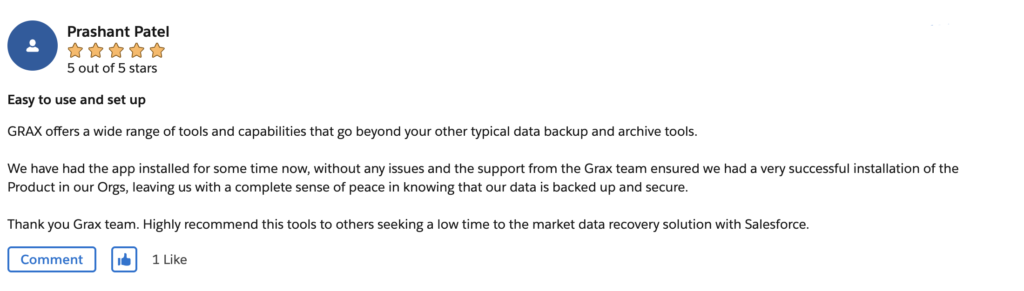
GRAX
Reviews on the Salesforce AppExchange for GRAX, highlight its ease of use and its backup capabilities.
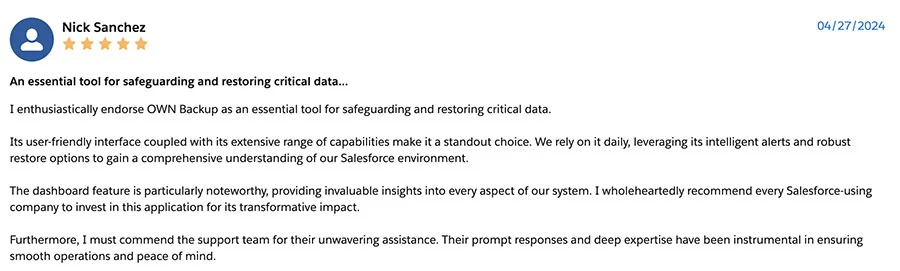
Own
Own’s Salesforce AppExchange reviews praise its overall support and user-friendly interface.
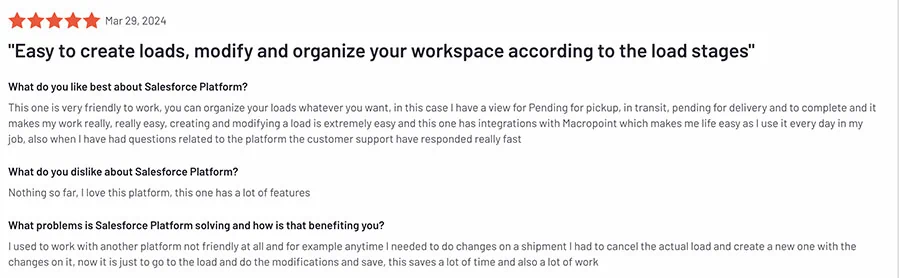
Salesforce
On G2, Salesforce’s platform confirms its status as the leading CRM application and its simplicity of use.
Gain True Data Autonomy Over Your Backups With GRAX
Organizations have several options to manage Salesforce data, including Salesforce’s native solutions, Own, GRAX, and more. The decision of which option to choose depends on the specific needs and priorities of the organization. Although Salesforce’s native offerings provide basic data management capabilities, Own offers more advanced features such as automated backups and detailed recovery options.
GRAX, however, offers several benefits for organizations that prioritize on-prem Salesforce data protection and management. With features such as incremental backups, unlimited retention, and seamless integration, GRAX provides organizations with the confidence, clarity, control, and precision needed to navigate the complexities of Salesforce data management. When it comes to safeguarding valuable data assets, GRAX is a reliable and innovative solution that sets a new benchmark for Salesforce backup solutions.
Take Control of Your Salesforce Data
Get full visibility, faster recovery, and complete ownership of your data—without relying on third-party platforms.