

The modern business landscape is completely data-driven, putting a lot of pressure on the ability to manage and integrate information. Salesforce is a powerful CRM platform that generates substantial volumes of valuable customer information using its ecosystem of applications, features, and tools.
While it is true that information is one of the most important resources for any business right now, most of that information cannot be useful to an organization just by existing. In order for CRM data to become valuable, it has to be structured and manipulated in a certain way – it is something that data integration methods specialize in.
Two of the most known methods are ETL and ELT – Extract-Transform-Load and Extract-Load-Transform, respectively. In this article, we aim to cover the topic of ETL and ELT software, explaining its advantages, shortcomings, and recommendations for picking a specific solution.
What Is Salesforce ETL? ETL vs. ELT Explained
Choosing the right ETL tool for Salesforce starts with understanding the two main approaches to data integration:
- Extract-Transform-Load (ETL) tools are the traditional approach to data integration, in which the information in question is transformed before being uploaded into Salesforce. It is a great option for most situations where there is a necessity to follow complex data cleansing protocols or strict compliance requirements, ensuring consistent data quality across the board.
- Extract-Load-Transform (ELT) tools use a slightly more modern way of interacting with information, leaving the transformation process to Salesforce’s own internal processing features. Companies with strong Salesforce development capabilities and straightforward data transformation thrive with ELT tools with faster initial loading times and better flexibility, among other advantages.
Data replication is also seen as an alternative approach to moving CRM data, with the most significant difference being the fact that data replication does not transform information in any way during or after integration.
Why Do Companies Need Salesforce ETL Tools?
The value of ETL and ELT tools extends way beyond basic data integration, bringing in a lot of other advantages:
- Data consistency in complex environments with multiple systems.
- Routine data management task automation.
- Support for complex business processes.
- Better real-time decision-making.
- Easier ways to maintain compliance and data quality standards.
The expansion of the digital footprint for each business in a modern-day environment made seamless tools for Salesforce data a necessity to remain competitive instead of a minor advantage in this field.
Why Salesforce ETL and Structured Data Matter
Before we dive into the topic of ELT and ETL tools or methods, it would be wise to briefly discuss why these solutions have to exist in the first place. The main reason is obvious – the accuracy and relevancy of information allow Salesforce to make the most of customer data, providing a complete 360-degree overview of customer interactions.
However, the sheer volume of storage an average company deals with on a regular basis is simply outstanding. Salesforce itself knew that years ago, which is why each company only has a limited data storage capacity, and purchasing additional storage space in Salesforce itself is a very expensive endeavor.
That way, Salesforce can still provide its services as a cloud-native solution with a multi-tenant nature. Yet, the issue of data storage is now on the shoulders of the companies themselves. There are many issues that could dramatically reduce both the accuracy and the relevancy of information in Salesforce if it is stored in an external environment as-is, with per-transition query limits, slow data transfer speeds, and so on.
Data Warehouses
Luckily, most of the issues above are easily resolved by using data warehousing solutions. The most noteworthy examples of such environments are Google Big Query, Snowflake, and Amazon Redshift, all of which are designed to store and analyze large data volumes, no matter if the information itself is pulled from a database or some other source.
Extracting data from Salesforce into these warehouses improves the efficiency of data management and allows for advanced analytics beyond what Salesforce has to offer while providing a complete 360 view of customer information pulled from other enterprise environments.
Salesforce was not designed with data storage as a primary purpose in mind. As such, it is necessary to create a proper data synchronization strategy to be able to use the analytical results of data warehouses in Salesforce while also providing the warehouse in question with the most up-to-date information from Salesforce and other sources.
Cut Salesforce Storage Costs
See how GRAX archives data to your own cloud.
How Salesforce ETL Tools Connect Salesforce with Snowflake, BigQuery, and Redshift
There are a few common patterns that a lot of the tools connecting Salesforce to different warehouses share:
- Native connectors – pre-built integrations that authenticate via Salesforce’s API and handle schema mapping automatically, requiring little to no configuration
- JDBC/ODBC drivers – a more manual, database-style connection option used by tools without a dedicated Salesforce connector
- Staging-and-copy – data lands in a temporary staging area (often cloud storage) before being bulk-loaded into the warehouse, common for large volumes
- Direct streaming – for CDC-based real-time sync, changes are pushed continuously rather than moved in scheduled batches
The majority of modern ETL and ELT tools tend to default to native connectors for the sake of simplicity. They do have to fall back to JDBC/ODBC or staging patterns for less common warehouse targets or higher-volume workloads, but that doesn’t happen too often.
Common Salesforce ETL Challenges in Data Integration
Data integration is a known challenge for many Salesforce users, but it has many risks that might introduce their own issues if dealt with incorrectly. Some of the most common challenges of data integration in this context are:
- Poor data quality;
- Lack of data validation rules;
- Data or field type mismatch on a given Salesforce object;
- Lack of understanding when it comes to integration complexity;
- No clear integration strategy, and so on.
Fortunately, a lot of these issues can, in turn, be mitigated or resolved by implementing a competent ETL or ELT tool for your Salesforce environment. Establishing a concrete data quality policy would also assist greatly here.
It should be noted that the nature of Salesforce makes it a very poor selection for data storage en masse. As such, the overwhelming majority of use cases for ETL and ELT solutions in this article are going to assume that most companies extract data from Salesforce and into another target location – which is going to be the aforementioned data warehouse for many Salesforce environments. For example, it is common for organizations to extract their Salesforce information into warehouses to perform long-term trend analysis and comprehensive business intelligence – everything that is going to be difficult to do from within Salesforce.
How Salesforce API Limits Affect ETL Performance
Every ETL or ELT tool involved with Salesforce data has to deal with the platform’s API governor limits. These limits tend to have a much stronger influence on system performance than what some would expect.
Salesforce uses a rolling 24-hour request cap instead of relying on basic daily resets. Enterprise Edition orgs begin with a limit of 100,000 API calls plus 1,000 more for each user license; Unlimited and Performance editions get bigger API call allocations. Every REST, SOAP, Bulk, and Connect API calls are using the same shared call pool, making it possible for specific inefficient tools to quietly eat into the overall budget without being easily noticed.
A few specific constraints tend to matter most for ETL/ELT performance:
- Concurrent long-running requests are capped at 25 in production (5 for developer orgs), so tools running many simultaneous extractions can start queuing or failing under load
- Bulk API is limited to 15,000 batch submissions per rolling 24 hours, shared between Bulk API 1.0 and 2.0, with up to 10,000 records and a 10MB payload per batch – this is the right tool for large volumes, but it has its own ceiling
- Request timeouts cap any single call at 10 minutes, which can force large synchronous jobs to be broken up
- Governor limits inside Apex (SOQL queries, DML statements, DML rows) apply per transaction regardless of which API triggered them, so even a well-designed integration can hit a wall if it fires triggers with heavy logic
The practical impact on ETL/ELT performance comes down to design decisions due to the fact that all these limits are shared org-wide. Preferable design choices here include:
- Using Bulk API for large volumes instead of hammering REST with record-by-record calls
- Filtering queries to pull only changed records
- Monitoring usage proactively rather than discovering a bottleneck when a job starts failing with a REQUEST_LIMIT_EXCEEDED error
Skip the API Limits
See how GRAX delivers data without using API calls.
The Value of Salesforce ETL/ELT Tools
Why Salesforce Data Loader Stops Being Enough
Salesforce’s Data Loader is a great starting point for teams that just need to load data quickly. It’s free, it can handle large CSV-based bulk operations, and can cover an abundance of operations across most standard and custom objects (including insert, update, upsert, delete, and export). Many teams that only have simple, occasional data movements don’t even need any other solution.
The limitations start showing up once the needs begin to grow.
Data Loader does not have any kind of native scheduling interface. As such, attempting to automate a recurring job would mean falling back to the command line combined with an OS-level scheduler (cron or Windows Task Scheduler), and Mac users lose even that convenience.
Data Loader is also only processing data in batches, making it incapable of supporting real-time or near-real-time sync. Its ability to transform data is extremely bare-bones, with barely anything available outside of mapping CSV columns to Salesforce fields. Even monitoring capabilities are limited to reviewing log files after the fact, with no option to enable proactive alerts.
All these gaps create a lot of inconveniences that push growing businesses toward dedicated ETL and ELT platforms that can offer scheduling, transformation logic, real-time options, and centralized monitoring capabilities that Data Loader was never built to provide.
Change Data Capture (CDC) and Real-Time Data Replication
Change Data Capture is a mechanism integrated into Salesforce that provides the ability to stream record changes as they happen.
Whenever CDC is enabled on an object, Salesforce publishes an event in its event bus every time a record is created, updated, deleted, or undeleted. These events can only carry the fields that changed (as well as the metadata such as transaction ID and a timestamp). Additionally, this data is held on the event bus for a relatively small retention window to help subscribers catch up after brief interruptions.
External systems, ETL/ELT platforms, and data warehouses all subscribe to these event channels instead of polling Salesforce for updates manually. This represents a massive shift from “pull” to “push” approach, cutting down API consumption and dramatically reducing latency. All the downstream systems also only need to apply incremental changes only instead of being forced to reload the entire dataset.
CDC is the mechanism; real-time data replication is what it enables. Rather than waiting for a scheduled job to copy records over in bulk, systems built on CDC events can mirror Salesforce data into a target system continuously, record by record, as changes happen. The differences between batch replication and real-time replication are provided in the table below:
| Batch Replication | Real-Time Replication (CDC-driven) | |
| Trigger | Runs on a fixed schedule | Fires the moment a change occurs |
| Data freshness | Minutes to hours old | Seconds |
| System load | Spikes during scheduled runs | Spread evenly, event by event |
| Best for | Nightly reporting, non-urgent syncs | Live dashboards, cross-system automation, SLA-sensitive workflows |
Real-time data replication created on CDC keeps downstream systems continuously in sync without the lag or load spikes of scheduled backup jobs. However, it does come at the cost of the setup being more complex in order to handle event ordering, retries, and occasional out-of-order delivery.
Salesforce ETL Tool Trends in 2026
The overall landscape of the data environment market in Salesforce goes through significant changes to this day, and there are several key trends that are worth mentioning because of their influence on the market.
- Real-time integration for data processing is slowly becoming the new norm for Salesforce users, moving away from more traditional batch processing to enable businesses to act based on the most up-to-date information, which can be a substantial competitive advantage in certain cases.
- AI-powered automation includes intelligent data mapping and transformation, which can dramatically reduce the complexity of data management efforts while also making the end results more accurate and efficient.
- Zero ETL software is a substantial paradigm shift in data integration that eliminates the necessity for three traditional processes (extract, transform, load) altogether. It enables real-time direct data sharing between applications and data warehouses, significantly reducing the complexity and maintenance overhead of such data pipelines.
- Cloud-native data platforms tend to provide seamless scalability and extensive flexibility, both of which can be major advantages for Salesforce environments, simplifying business adaptation without the necessity to invest substantial resources into infrastructure modification.
- The open-source movement has expanded a lot over the recent years, providing many cost-effective solutions for data integration that can rival proprietary tools in terms of the feature set and performance. The rapid community-driven improvements and extensive customization capabilities are just a few examples of what such solutions can offer now.
- Security and compliance have both become a necessity for modern data integration tools, with support for major privacy regulations and built-in data governance capabilities being practically commonplace for most modern ETL and ELT environments. That way, data integration software can also assist companies with maintaining compliance and protecting sensitive information at the same time.
- Low-code and no-code platforms have gotten through a lot of development in a relatively short time frame, offering competitive alternatives to complex data integration environments. The addition of visual interfaces and drag-and-drop capabilities reduces the dependency on the technical expertise of each user while also speeding up implementation times.
- Pro-code platforms remain a cornerstone of data integration, providing the highest possible level of flexibility and control as a more customizable alternative to low-code and no-code environments. Solutions such as Heroku allow for the creation of highly customizable data pipelines with complex transformation logic. Their relevance is still at an impressive level to this day, showing how many companies value the power and customization these traditional development tools can offer compared with more modern alternatives.
Data management in Salesforce is going through a stage of growing demand right now, facilitated by multiple digital transformation initiatives, exponential data volume growth, and business intelligence requirements for modern reporting processes. The necessity to follow regulatory frameworks and compliance rules changes the field even further, putting additional restrictions and requirements on how information should be handled and secured.
These trends are going to continue shaping the data integration topic in Salesforce in the near future, putting a lot of pressure on selecting the correct ETL or ELT solution for your company’s needs and obligations.
How AI is Changing Salesforce ETL Workflows
In the past, ELT and ETL tools had to rely on engineers hand-coding every schema mapping and transformation rule. Many modern platforms are now using machine learning to handle a lot of that same work automatically. Whenever a source field’s name or structure changes, AI-assisted pipelines can now understand the change in pattern and suggest or apply an updated mapping – instead of breaking outright and waiting for a human to fix everything.
The introduction of AI into this field shows up in a few concrete ways for Salesforce integrations:
- Anomaly detection models flag unexpected drops in record counts, unusual null-value spikes, or data that deviates from historical patterns before it reaches a warehouse or dashboard
- Some platforms now let business users describe a workflow in plain language and have the system generate the underlying pipeline logic
- Pipelines can also self-adjust performance settings like batch sizing based on past runs, rather than requiring manual tuning
It’s important to mention that none of these changes eliminate the need for human oversight completely. Someone would still have to review AI-suggested mappings and validate that automated transformations are going to reflect actual business rules. These capabilities help with shifting the day-to-day work from constant acts of pipeline maintenance into reviewing and approving whatever the system proposes.
Salesforce Data Loader vs. Third-Party ETL Tools: Which Should You Choose?
A choice between Salesforce’s native Data Loader and a third-party ETL platform (or ELT platform) usually comes down to the way your integration needs are going to scale as time goes on.
| Factor | Data Loader | Third-Party ETL/ELT Tools |
| Cost | Free | Subscription, usually volume- or connector-based |
| Scheduling | CLI + OS-level scheduler only | Native scheduling built in |
| Real-time sync | Not supported (batch only) | Often available via CDC or streaming |
| Transformation logic | Basic field mapping only | Ranges from simple to complex, multi-step transforms |
| Monitoring & alerts | Manual log review | Built-in dashboards, proactive alerting |
| Setup effort | Minimal, quick to start | Higher initial setup, more configuration |
| Best fit | Occasional bulk loads, small teams, tight budgets | Recurring pipelines, multiple systems, growing data volume |
When Data Loader is enough:
- Occasional imports/exports rather than ongoing pipelines
- A small number of source/destination systems
- No requirement for real-time data
When it’s time to look at third-party tools:
- Recurring jobs that need reliable scheduling
- Transformation logic beyond basic field mapping
- Multiple integrations that need centralized monitoring
- Real-time or near-real-time sync requirements
How to Choose the Best Salesforce ETL Tool
Choosing the right tool for Salesforce depends on the company’s preferences and a number of other factors. However, there is also a surprisingly large number of features that are shared between the two, which allows us to share our recommendations in terms of preferred criteria for both ETL and ELT solutions at the same time.
Batch Processing vs. Real-Time Salesforce ETL: Which Do You Need?
We have already covered the technical differences between batch and real-time processing earlier in the article. What’s left is to match the choice between the two with an actual use case of your organization. For that to work, we have selected a few guiding questions:
- How quickly does someone need to act on the data? If a delay of hours doesn’t change any decision made downstream, batch is simpler and cheaper to run.
- Is the data feeding a live process or a periodic one? Live inventory counts, support queue escalations, or fraud checks need real-time; monthly board reporting doesn’t.
- What’s your tolerance for infrastructure complexity? Real-time pipelines need more careful handling of retries, ordering, and failure recovery – worth it when freshness matters, overkill when it doesn’t.
- Does the data volume justify it? High-frequency, low-volume changes (e.g., a single field updating often) are well-suited to real-time; large infrequent bulk loads are usually still better served by batch.
Quick guide by scenario:
| Use Case | Recommended Approach |
| Nightly sales reporting to a data warehouse | Batch |
| Live customer support dashboards | Real-time |
| Compliance/audit exports | Batch |
| Cross-system order or inventory sync | Real-time |
| Marketing list refreshes | Batch |
| Fraud or anomaly alerting | Real-time |
Setup and Ease of Use
Interface intuitiveness is a common recommendation for practically any software. Both ELT and ETL solutions should be able to offer comprehensive documentation to assist with integration, as well as a number of pre-built connectors for common data sources. Additionally:
- ETL tools provide their own middleware interfaces outside of Salesforce
- ELT tools aim to leverage Salesforce’s existing configurations and APIs in the most efficient way possible while also offloading all transformation processes to a target storage location, minimizing the reliance on Salesforce’s capabilities in this regard.
Flexibility and Customization
Customization is a factor that depends completely on the nature of the software’s operations:
- ETL tools often move towards providing complex data cleansing routines and multi-faceted external transformation capabilities.
- ELT tools focus on efficient Salesforce data extraction and loading while maintaining lighter interaction with Salesforce and offloading transformations to the target system, be it a data lake or a data warehouse.
Performance and Data Processing
The location of data processing has a surprisingly large influence on the total performance of the Salesforce environment during transformation processes:
- ETL tools tend to put a bigger pressure on Salesforce in terms fo performance due to the usage of larger, more complex queries, placing a bigger load on the infrastructure during extraction processes.
- ELT tools reduce Salesforce’s workload after data extraction due to the ability to offload data transformation tasks to the target storage location, thus causing a lesser performance impact.
A hybrid data processing approach is also possible in some cases but is difficult to talk about due to the highly personalized nature of each instance of a hybrid data processing system.
Scalability
Multiple factors contribute to the scalability of a data processing solution, including data volume handling capacity, governance considerations, API limits, and the lack of significant restructuring for fast-growing businesses. Additionally:
- ETL users should review the capabilities of the infrastructure that the software provides.
- ELT users would have to look out for the platform processing capabilities of the solution.
Real-time Integration
Latency requirements and system impact are common factors that contribute to the performance of real-time integration. With that being said:
- ETL tools can offer real-time processing pipelines in some cases, but they are not the primary focus of any ETL tool, and the feature itself is not universally available either.
- ELT tools mostly rely on Salesforce’s APIs for real-time data sync, but real-time processing is only available to a select number of destination systems and is not a commodity in the industry.
Pricing Structure
The total cost of ownership for such software can be somewhat difficult to calculate due to the existence of both immediate and scaling costs, as well as training and implementation expenses. Additionally:
- ETL tools also include the cost of tool licensing, infrastructure, and maintenance.
- ELT tools should consider platform resource usage and Salesforce API consumption (indirect costs), as well as tool licensing.
Compliance and Security
Security and compliance needs of ETL and ELT software do tend to differ in their priorities outside of the standard feature set (audit logging, compliance certification, encryption, etc.):
- ETL tools prioritize middleware security, external processing, and data transmission protection.
- ELT tools use Salesforce’s built-in security and compliance capabilities during extraction while relying on a target platform’s feature set in this department when it comes to data transformation and loading.
Automate What Data Loader Can’t
See how GRAX captures every change automatically.
Best Salesforce ETL Tools
Due to the multifaceted nature of this topic, we are going to present three separate groups of Salesforce data integration software examples.
- Group one will cover some examples of notable ETL software on the market.
- Group two shall do the same for the ELT software.
- Group three would provide a few options for hybrid ETL/ELT solutions.
The table below is going to be used for future reference in our classification.
| Software category | Solution Name | Details |
| ETL | MuleSoft | Significant focus on API-driven integration with batch/real-time ETL processing. |
| Jitterbit | Middleware-based ETL solution with transformation capabilities and a selection of prebuilt connections. | |
| Adeptia Connect | Focuses on business-to-business data integration and transformation capabilities. | |
| ELT | Workato | Real-time integration with extensive automation and limited transformative capabilities. |
| Fivetran | Significant focus on automated ELT, transferring raw data into warehouses for further processing. | |
| Matillion | Purpose-built ELT solution for cloud data warehouses – BigQuery, Snowflake, etc. | |
| Panoply | ELT capabilities in combination with data management and data ingestion for cloud data warehouses. | |
| Hybrid (ETL w/ELT capabilities) | Integrate.io | Works great as an ETL tool but also supports ELT workflows for cloud platforms. |
| Informatica | Comprehensive ETL tool capable of providing ELT workflows to modern data warehouses. | |
| Skyvia | Primarily offers cloud-based ETL capabilities but also has limited ELT functionality. |
Our list of ETL software recommendations is going to include:
- Jitterbit
- Talend (Qilk)
- Dell Boomi
- Adeptia Connect
Jitterbit
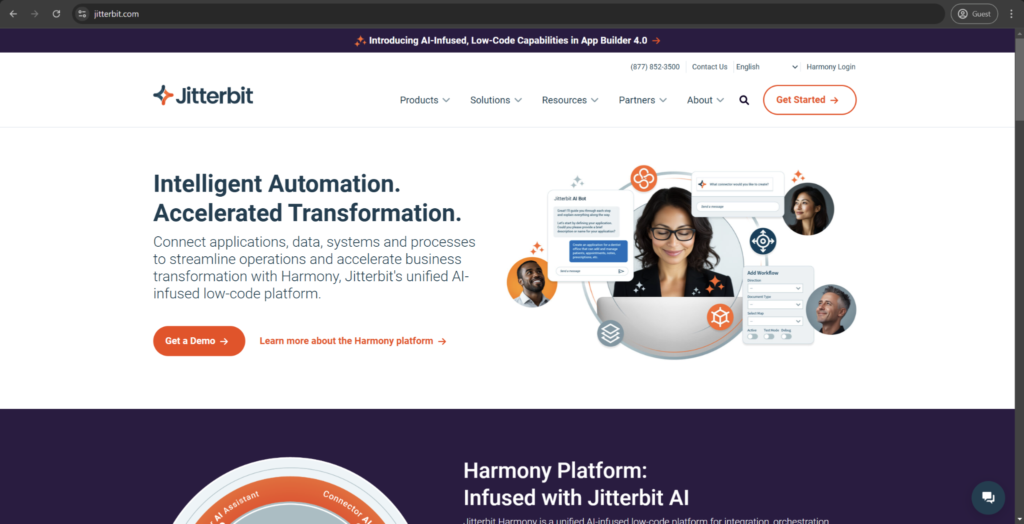
Jitterbit is a flexible cloud integration solution that can seamlessly connect the Salesforce environment with other enterprise systems. The intuitive Harmony platform ensures fast and convenient integrations while pre-built connectors and templates accelerate deployment even further. The Process Builder feature opens up many opportunities for workflow automation, as well, and the Project Management feature set is a great help for tracking and managing complex integration combinations.
Customer ratings:
- G2 – the aggregated score of 4.5/5 based on 622 customer reviews.
- Capterra – the aggregated score of 4.4/5 based on 45 customer reviews.
- TrustRadius – the aggregated score of 9.2/10 based on 47 customer reviews.
Advantages:
- Easy data integration between systems and platforms.
- Relatively simple configuration for data integration processes.
- Powerful error handling capabilities.
Shortcomings:
- A lack of detailed onboarding leads to some of the features being practically unused by most users.
- Somewhat rigid pricing model, especially for more complex infrastructures and environments.
- Setting up complex integrations can be practically impossible without the heavy use of a multitude of variables and a substantial amount of coding effort.
Pricing information (at the time of writing):
- Jitterbit’s pricing is completely quote-based, with three pricing plans: Standard, Professional, and Enterprise.
- The pricing plans differ in terms of the number of connections, number of environments, support response times, etc.
The author’s personal opinion:
Jitterbit is a cloud-based integration solution that uses its Harmony platform to establish and streamline connections between Salesforce and a large selection of enterprise applications. It is often regarded as a perfect middle-ground option in the current market, striking a delicate balance between usability and functionality without an expensive price tag to worry about. It is rather intuitive in most cases, but the support response times often vary significantly, making it difficult to resolve issues and receive assistance from time to time.
Qlik Talend Cloud
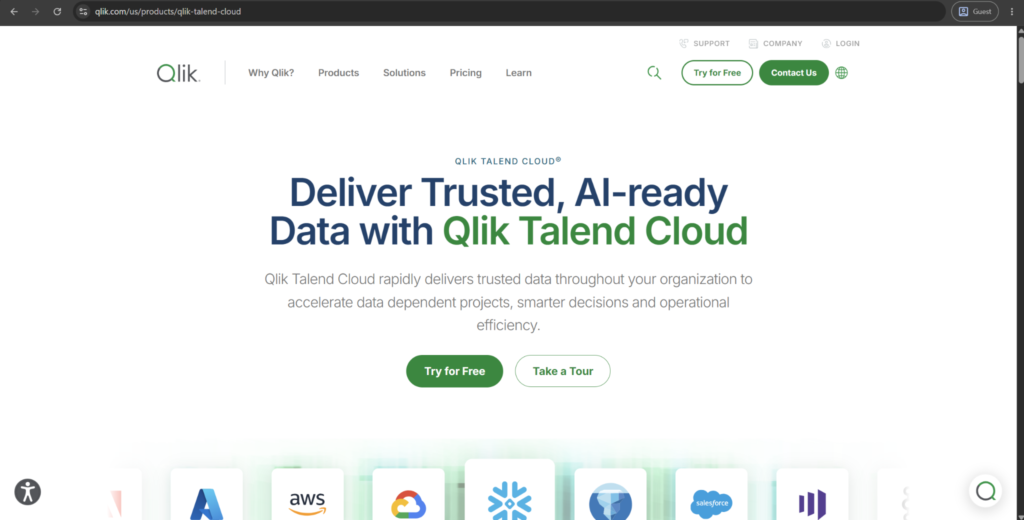
Qlik Talend Cloud (previously known as Talend) connects Salesforce with a wide range of enterprise systems, databases, and cloud warehouses. The drag-and-drop Studio interface gives users the ability to create integration jobs visually with a large library of pre-built connectors. Built-in data quality tools also catch inconsistent or incomplete Salesforce data before it reaches downstream systems.
Customer ratings:
- G2 – the aggregated score of 4.3/5 based on 105 customer reviews
Advantages:
- Broad library of pre-built connectors for databases, cloud apps, and enterprise systems.
- Strong built-in data quality and validation tools alongside integration features.
- Visual Studio interface reduces the need for custom coding on most jobs.
Shortcomings:
- Steeper learning curve than most competitors, especially for new users.
- Pricing and roadmap direction have grown less predictable since the Qlik acquisition.
- Review data is fragmented across several legacy product listings post-rebrand.
Pricing information (at the time of writing):
- After being acquired by Qilk, any specific pricing information about Talend is now unavailable to the public and can only be acquired by requesting a personalized quote.
The author’s personal opinion:
Now part of Qlik as Qlik Talend Cloud, Talend has long been a go-to for teams needing more than basic field mapping – strong connectivity paired with real data quality tools. A steeper learning curve than most competitors is its biggest tradeoff so far. Some long-time users have also raised concerns about pricing and roadmap direction after the Qlik acquisition.
Boomi
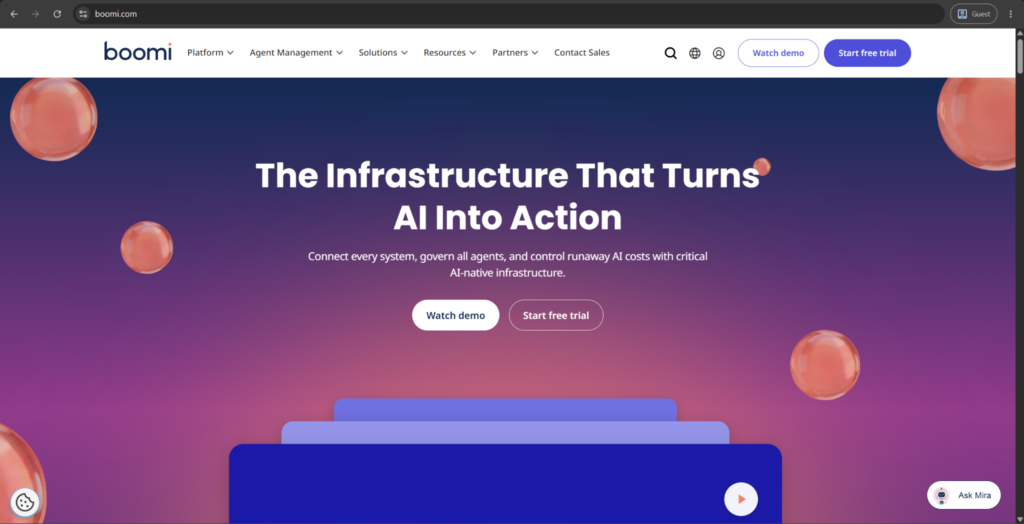
Boomi (formerly Dell Boomi) is a cloud-native integration platform that connects Salesforce with thousands of applications through pre-built connectors. Its low-code, drag-and-drop interface is built around lightweight “Atoms” that run integration logic close to the data source. Real-time sync and AI-assisted workflow automation are core parts of the platform’s current direction.
Customer ratings:
- G2 – the aggregated score of 4.4/5 based on 506 customer reviews.
- Capterra – the aggregated score of 4.4/5 based on 274 customer reviews.
Advantages:
- Low-code, drag-and-drop interface makes setup accessible without deep technical expertise.
- Thousands of pre-built connectors cover most common business applications.
- Lightweight Atom architecture allows integration logic to run close to data sources.
Shortcomings:
- Pricing is not publicly available and can be difficult to estimate upfront.
- Performance can lag at very high data volumes compared to code-heavy tools.
- Advanced customization options require more configuration effort than expected.
Pricing information (at the time of writing):
- Boomi offers two major ways to approach its pricing model
- The traditional subscription-based option is separated into four plans: Professional, Professional Plus, Enterprise, and Enterprise plus. None of these plans have public pricing information attached to them.
- The pay-as-you-go plan starts at $99 per month plus usage, offering full access to all Boomi features, no large upfront investment, unlimited usage, etc.
The author’s personal opinion:
Since becoming independent of Dell in 2021, Boomi has leaned hard into low-code accessibility and broad connector coverage, making it a solid fit for teams without deep integration expertise. Reviewers consistently point to its ease of setup as a strength. The main complaints center on pricing transparency and performance at very high data volumes, where more code-heavy competitors can pull ahead.
Adeptia Connect
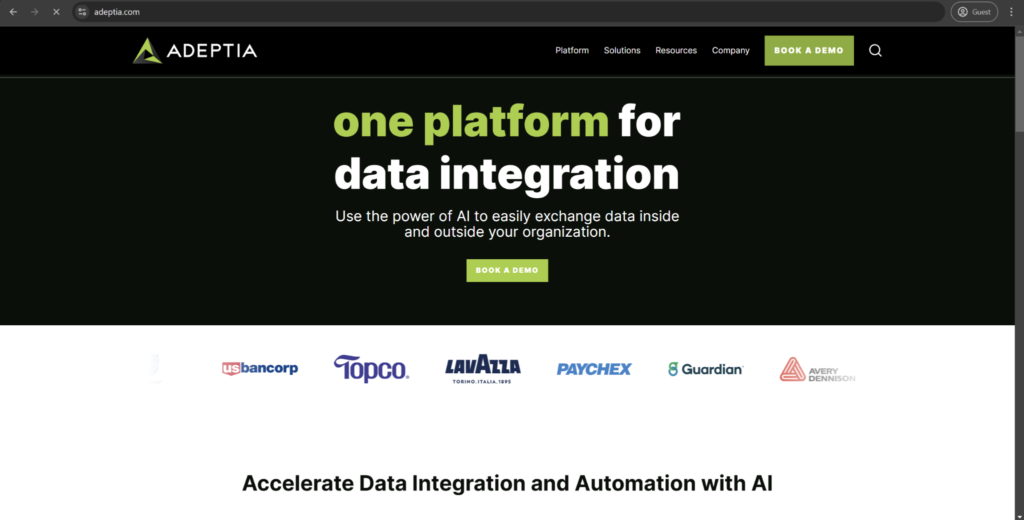
Adeptia Connect is a user-friendly data integration platform capable of simplifying Salesforce integration using a self-service approach. It can offer a selection of pre-configured templates and a web-based interface that helps create and manage integration workflows. The solution’s significant emphasis on the Customer Self-Service Portal makes it possible for external partners to create their own connections and integrations with practically no IT involvement.
Customer ratings:
- G2 – the aggregated score of 4.3/5 based on 22 customer reviews.
- TrustRadius – the aggregated score of 10/10 based on 9 customer reviews.
Advantages:
- Quick and easy integration setup process.
- Helpful customer support team.
- Extensive automation capabilities.
Shortcomings:
- Challenging error troubleshooting process.
- Relatively high skill requirements in order to be able to use the software to its fullest.
- Gaining access to help guides can be surprisingly difficult.
Pricing information (at the time of writing):
- The starting price for the Standard edition is about $500 per month.
- The Business edition is double the price of the previous one, starting from $1,000 per month.
- The number of connections and partners decides the total price tag.
- Enterprise edition is completely quote-based.
The author’s personal opinion:
Adeptia Connect is an integration platform focused on business users that provides a self-service approach to Salesforce integrations. It is an invaluable tool for managing multiple partner connections at once due to its B2B integration capabilities. Even though the solution has its own range of use cases and client companies, it does suffer from a number of significant disadvantages, such as lackluster error-handling capability.
Best Salesforce ELT Tools
Now that we are done with presenting ETL software, it is time to switch over to ELT solutions, represented by the following:
- Workato
- Fivetran
- Matillion
- Airbyte
Workato
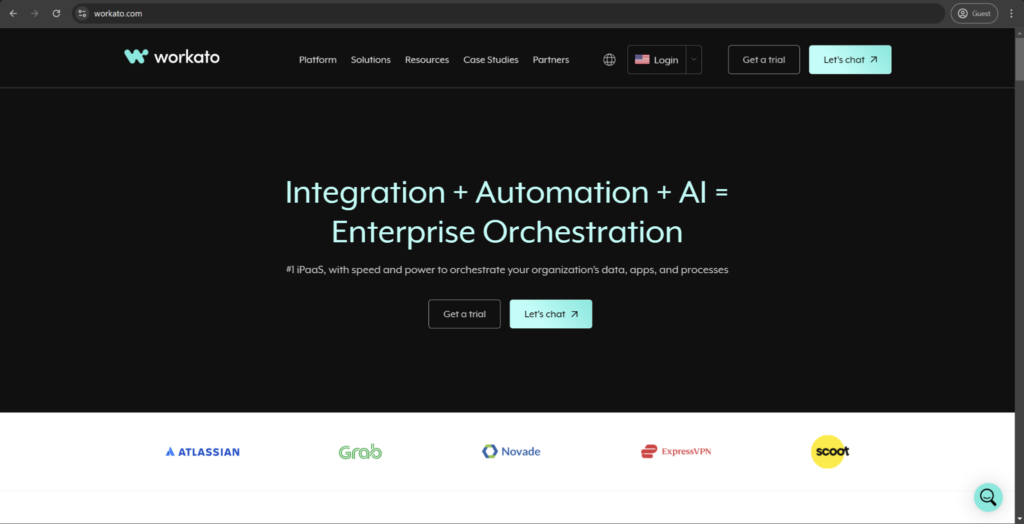
Workato is an enterprise automation platform with deep Salesforce connectivity that can offer several other features aside from data integration. It uses AI-powered automation recipes that act as templates to be customized upon, offering a respectable degree of customization without the necessity to have a high skill level. Creating and managing complex condition-based workflows with rollback capabilities and error handling is one of Workato’s strongest advantages.
Customer ratings:
- G2 – the aggregated score of 4.7/5 based on 777 customer reviews.
- Capterra – the aggregated score of 4.6/5 based on 85 customer reviews.
- TrustRadius – the aggregated score of 9.2/10 based on 73 customer reviews.
Advantages:
- Extensive customization capabilities that allow for complex integrations to be created without the necessity to delve into coding.
- A substantial number of educational materials, such as videos and documentation.
- Support for a large selection of data storage environments for integration, including Slack, Jira, etc.
Shortcomings:
- A steep learning curve for most new users, in which most of the basic capabilities are simple, but creating complex integrations would take time to learn.
- Creating a recipe from scratch can be challenging and confusing.
- Inconsistent support team response times.
Pricing information (at the time of writing):
- There is no public pricing information about Workato available on the official website.
- The pricing model itself is based on transaction volumes, connections, and recipes.
The author’s personal opinion:
Workato is an enterprise automation platform for workflows and integrations that supports Salesforce and many other environments. It has proven itself extremely effective for rapid deployment with sophisticated integrations due to its own recipe-based approach. Unfortunately, the pricing structure of Workato tends to get somewhat complicated in more sophisticated use cases, and the total price of the solution also tends to rise dramatically in many such cases.
Fivetran
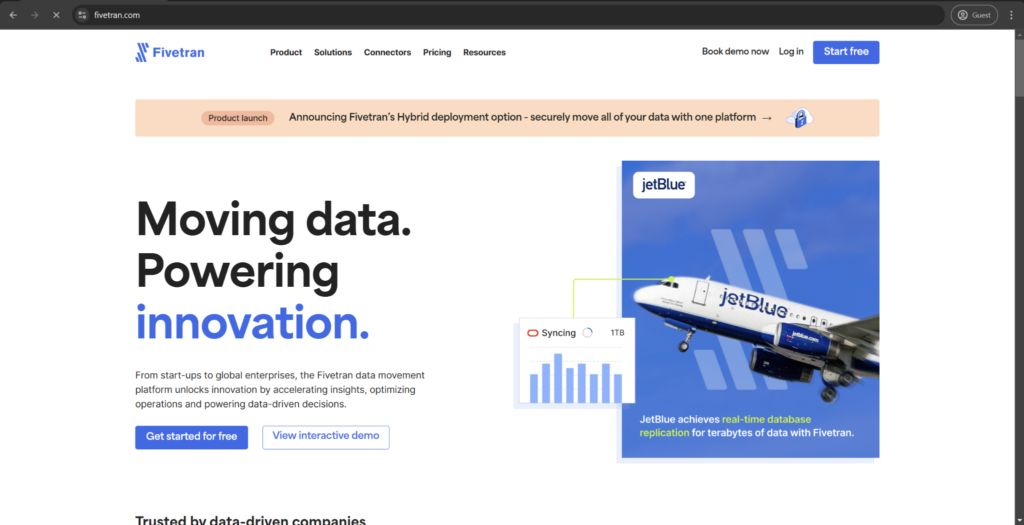
Fivetran can provide automated data integration capabilities to Salesforce and many other potential data sources using its zero-maintenance pipelines as the baseline. Fivetran’s primary field of specialization is data standardization and cleansing, with its library of pre-built connectors and near real-time synchronization speed. One of its more unconventional features is the schema management tool, which manages to significantly reduce the maintenance overhead by adapting to source changes when necessary.
Customer ratings:
- G2 – the aggregated score of 4.3/5 based on 800 customer reviews.
- Capterra – the aggregated score of 4.4/5 based on 25 customer reviews.
- TrustRadius – the aggregated score of 8.4/10 based on 55 customer reviews.
Advantages:
- Straightforward setup process in most cases.
- One of the best value-for-money offerings on the market.
- Easy and convenient integration process with many data storage targets, not just Salesforce.
Shortcomings:
- Dealing with large data synchronization volumes tends to significantly increase the solution’s cost.
- The lack of bidirectional data synchronization.
- Relying on custom Python code seems to be the only way to add support for a data source that Fivetran does not support already.
Pricing information (at the time of writing):
- There is no public information about Fivetran’s pricing on its official website.
- Consumption-based pricing is used for all pricing tiers, calculated on monthly active rows.
- Larger implementations are subject to volume discounts.
- All pricing seems to be quote-based.
The author’s personal opinion:
Fivetran is an automated data integration software with maintenance-free data pipelines. It supports Salesforce and many other data sources, automating most of the data synchronization and schema management efforts. While standardization is a significant advantageous trait for Fivetran, it does also lead to the fact that the platform’s customization capabilities are significantly limited.
Matillion
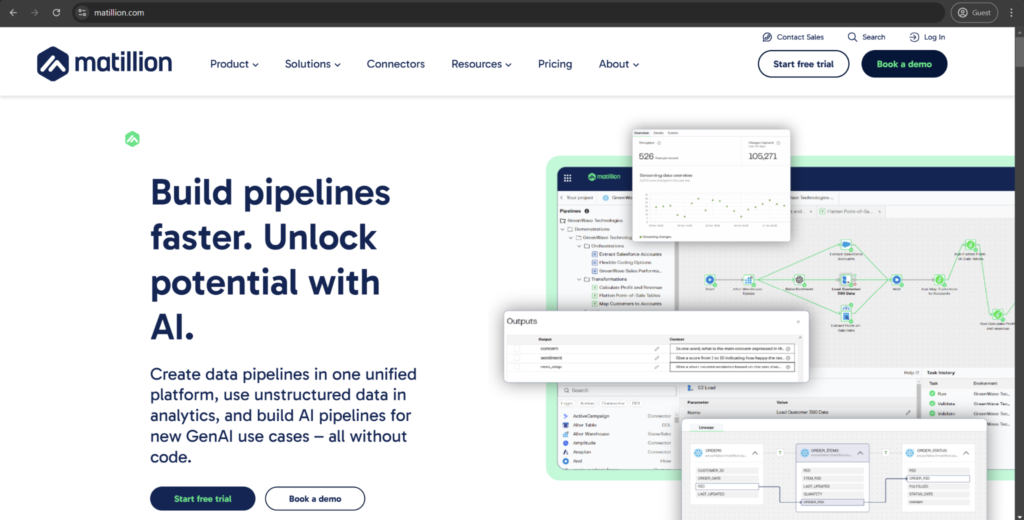
Matillion offers cloud-native data integration capabilities that help connect all kinds of data warehouse solutions to Salesforce. It can offer two different approaches to building data transformation pipelines – SQL-based and visual-based – which makes it easy for the software to create both simple and complex integration scenarios on demand. Additionally, Matillion can also offer a unique job-sharing capability that makes it possible to reuse various integration components in future projects, simplifying integration workflow establishment as time goes on.
Customer ratings:
- G2 – the aggregated score of 4.5/5 based on 125 customer reviews.
- Capterra – the aggregated score of 4.3/5 based on 111 customer reviews.
- TrustRadius – the aggregated score of 8.5/10 based on 236 customer reviews.
Advantages:
- Responsive and helpful customer support team.
- Great way to visualize complex integrations for users who are not knowledgeable enough with SQL.
- Impressive stability of the platform under high-volume loads.
Shortcomings:
- Confusing and rigid scheduling capability.
- Some of the less popular tools have many errors, and they do not have any idea when they are going to be fixed.
- All workflow modifications are saved and updated automatically, which makes it difficult to retract accidental changes.
Pricing information (at the time of writing):
- The pricing model is based on credits, with pay-as-you-go options available.
- A single credit costs about $2.
- Enterprise tier solution is only distributed via quote-based pricing.
The author’s personal opinion:
Matillion provides a cloud-native data integration feature set for connecting Salesforce with a multitude of other environments and cloud data warehouse solutions. Its SQL-based transformation approach makes it a great option for complex workflows with a high degree of customization, but it does also suffer from a substantial learning curve since many advanced features and customization options are only available to users who have a certain level of knowledge in SQL.
Airbyte
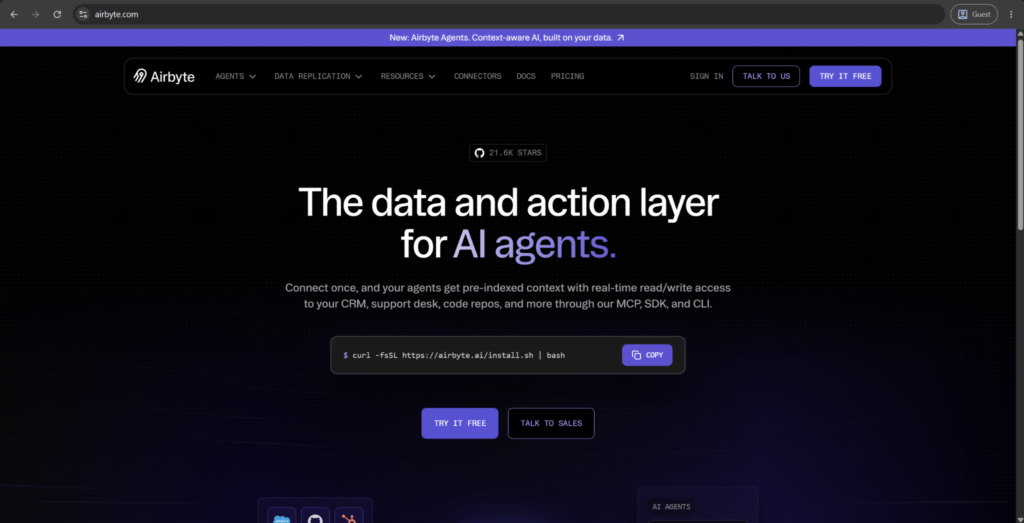
Airbyte is an open-source ELT platform built around a large, community-maintained library of connectors, including native support for Salesforce. Pipelines can be self-hosted or run through Airbyte’s managed cloud offering, giving teams flexibility over cost and infrastructure control. Its open architecture also makes it straightforward to build custom connectors for less common data sources.
Customer ratings:
- G2 – 4.4/5 points based on 77 customer reviews
Advantages:
- Open-source model avoids vendor lock-in and keeps infrastructure costs flexible.
- Large, active community contributes and maintains an extensive connector library.
- Highly customizable, including support for building connectors from scratch.
Shortcomings:
- Self-hosted deployments require real engineering effort to set up and maintain.
- Connector quality varies since many are community-contributed rather than officially supported.
- Advanced features can demand solid SQL knowledge to use effectively.
Pricing information (at the time of writing):
- Airbyte’s pricing model is separated into two large categories: Airbyte Agents and Data Replication.
- Airbyte Agents are distributed in four separate pricing tiers that suit different organization sizes. However, the nature of this topic makes us look more toward the Data Replication category.
- Data Replication also has four separate pricing plans:
- Core – the aforementioned “always free” plan that uses open-source code and is completely self-managed
- Standard – starting at $10 per month, this is a fully managed software with basic functionality that focuses on billing based on data volume with quick deployment
- Plus starts at $500 per month, it can offer custom mappings, 50 credits per month, 15-minute syncs, and everything in the previous tiers
- Pro does not have any public pricing attached to it, but it does have support for multiple workspaces, SSO, RBAC, premium support, and more.
The author’s personal opinion:
Airbyte’s open-source model is its biggest draw – teams get a highly customizable, cost-effective ELT tool without vendor lock-in, backed by an active community. The trade-off is that self-hosted deployments require real engineering effort to maintain, and connector quality can vary since many are community-contributed rather than officially supported.
Hybrid Salesforce ETL and ELT Tools
It should be noted that ETL and ELT are not mutually exclusive methods. We have alluded to that before, but this kind of list should be a far better confirmation. In fact, some of our examples can offer both ETL and ELT capabilities at the same time:
Integrate.io
Integrate.io is a cloud-based data integration solution with a specialization in ETL processes. It can be integrated into Salesforce with ease, providing a no-code approach to creating complex data pipelines without a high skill level as an entry barrier. It can also offer a unique Elastic Integration that scales processing power depending on the workload demands, providing additional flexibility.
Customer ratings:
- G2 – the aggregated score of 4.3/5 based on 213 customer reviews.
- Capterra – the aggregated score of 4.6/5 based on 17 customer reviews.
- TrustRadius – the aggregated score of 7.4/10 based on 10 customer reviews.
Advantages:
- Outstanding customer support experience noted by many users.
- Convenient user interface with easy access to most features.
- Great solution for most simple integrations that can be established using a drag-and-drop interface.
Shortcomings:
- Less than informative error logs and error messages.
- Can be extremely expensive if there is a necessity to perform data synchronization more often (such as on an hourly basis).
- The aforementioned drag-and-drop interface quickly becomes a hindrance when it is necessary to set up complex integrations.
Pricing information (at the time of writing):
- The pricing model of Integrate.io for ETL integrations uses credits to evaluate the total cost of the services.
- Credits are consumed based on cluster usage, with four credits per hour being the average consumption rate.
- The Starter plan costs $1,495 for 500 credits ($2.99 per credit).
- The Professional plan costs $2,976 for 4,800 credits ($0.62 per credit).
- The Expert plan costs $4,980 for 6,000 credits ($0.83 per credit).
- The Business Critical plan is quote-based.
The author’s personal opinion:
Integrate.io is a cloud-based platform for ETL integrations that streamlines data connections between Salesforce and many data sources. It is a combination of previously known solutions in the field – Xplenty, FlyData, Dreamfactory, and Intermix.io – that provides an intuitive user interface and relatively simple data pipeline-building capabilities. It is a great option for most standard integration scenarios, but it is highly likely that the solution is going to struggle with complex data transformation needs.
Skyvia
Skyvia manages to provide cloud-based data integration capabilities with straightforward connectivity with Salesforce, along with backups, data management, and a host of other features. It supports no-code integration tools for scheduled and real-time synchronization, and there is even support for bidirectional synchronization without losing the referential integrity between systems.
Customer ratings:
- G2 – the aggregated score of 4.8/5 based on 337 customer reviews.
- Capterra – the aggregated score of 4.8/5 based on 116 customer reviews.
- TrustRadius – the aggregated score of 10/10 based on 32 customer reviews.
Advantages:
- Large selection of supported connectors and integrations.
- Convenient and intuitive user interface.
- A high degree of efficiency with most simple integration jobs.
Shortcomings:
- The existing onboarding process is not capable of showcasing all the main capabilities of the solution.
- Some of the more advanced data integration capabilities are simply absent from the software.
- Inconsistent customer support experience resulted in a lot of displeased customer reviews over the years.
Pricing information (at the time of writing):
- Free tier with a basic feature set.
- Basic plan starts from $99 per month.
- Standard plan starts from $199 per month.
- Professional plan starts from $249 per month.
- Enterprise plan does not have a public pricing point attached to it and is completely quote-based.
- The pricing is based on the number of integrations available and includes more features at higher-priced tiers.
The author’s personal opinion:
Skyvia is a cloud-based integration solution. It is a cost-effective solution that works best for small or medium-sized businesses (SMBs), and its bidirectional synchronization works wonders in supporting information exchange between certain solutions. With that being said, this solution is not particularly customizable or flexible when it comes to advanced data transformation capabilities, which makes it less than useful for most enterprise clients.
GRAX as a data replication solution
Additionally, the nature of ELT and ETL tools is close to that of other types of software that deal with data integration. The software in question is called a data replication solution, with the biggest distinguishable trait being the fact that this software does not transform the information in some way before transferring it from one place to another. GRAX would be a good example of such a solution to go over.
GRAX is a specialized data management platform that offers backup, archival, and data replication capabilities in Salesforce environments. The ability to continuously capture complete Salesforce data history without losing any of the referential integrity and relationships between objects is one of the strongest advantages of GRAX’s software. It allows organizations to have complete control over their SaaS data with all the compliance and security benefits that a modern Salesforce business can provide.
Ready for reliable Salesforce data backup?
Get started with GRAX
GRAX manages to provide a convenient package of features that complement Salesforce’s existing feature set in terms of not only backup and recovery but also data replication and archiving. It can take some time to learn all of its capabilities, but the end result and the abundance of advantages it can offer are very much worth the effort.
How to Compare Salesforce ETL Tools Beyond Feature Lists
Feature checklists do make tools look somewhat interchangeable, with most solutions claiming to support similar ranges of connectors, scheduling capabilities, and transformations. Meanwhile, what actually separates them shows up after implementation, not before it. Here are some examples of factors that actually make a difference:
| Factor | Why It Matters |
| Vendor support & SLAs | Determines how fast a broken pipeline gets fixed – critical for time-sensitive data |
| Total cost of ownership | Sticker price often excludes overage fees, connector add-ons, and engineering time to maintain the pipeline |
| Documentation & community | Sparse docs or a small user base means slower troubleshooting and fewer available answers |
| Security & compliance certifications | SOC 2, GDPR, HIPAA support may be non-negotiable depending on your industry |
| Vendor stability & roadmap | Frequent acquisitions in this space (several well-known tools have been discontinued or absorbed by competitors) make a vendor’s longevity worth checking |
| Ease of hiring/training | Niche or proprietary tools can leave you dependent on a small pool of specialists |
None of these features show up in a side-by-side feature grid, even though they do tend to determine whether a tool that looked perfect on paper would actually hold up several years into using it.
Vendor consolidation, in particular, is worth watching closely, with certain ETL tools that were considered standard choices only a few years back but are now acquired, deprecated, or folded into other platforms. As such, evaluating a vendor’s trajectory is as important as evaluating its feature set.
Salesforce ETL Best Practices for Choosing the Right Tool
The choice between ETL and ELT tools for data integration can be challenging, and picking a single solution in each of these fields is often just as difficult. While it would be challenging for us to provide a detailed plan for picking the data integration software for each company, we can offer a number of general recommendations that should simplify this process to a certain degree.
Data Complexity Evaluation
One of the first recommendations one should follow when evaluating data integration software is to understand what kind of limitations they have to work with. Existing system limits and processing location impact on the overall environment would play a substantial part in this decision, and the same could be said for whether there is a need for real-time processing.
There’s also the matter of processing capabilities, storage constraints, and Salesforce API limitations to consider. The main choice between ETL and ELT software is also determined here, in most cases, choosing whether it would be better for the company to handle data processing inside or outside of the Salesforce environment.
Team Skill Set Consideration
While it is true that skill growth should be a strong recommendation for all employees, a lot of the software integrations would have to be purchased with the current employees’ capabilities in mind, as well as general expectations for future data integration processes. For example, no-code solutions are ideal for business users without major technical background and come in both ETL and ELT solutions. Alternatively, low-code environments are mostly ETL tools and can offer a slightly more complex set of capabilities than no-code software.
The existence of Salesforce development expertise is crucial for the proper implementation of many ELT tools and external development skills are practically mandatory for performing custom changes to ETL software’s capabilities due to the necessity to interact with multiple APIs.
Budget and Scaling Considerations
The financial capabilities of the company, matched against its data needs, also play a major part in the final decision in regards to purchasing a certain software. This includes not only the cost of initial investment but also the maintenance cost of the software in the long run, as well as the way these costs would change due to scaling. The necessity to train employees should also be included in this calculation since it can be considered the cost of onboarding to begin with.
Most of the previously mentioned criteria for ETL and ELT software should also work great here. The choice of the software depending on its data processing location is a good example of that – processing location choice can be enforced by data security requirements or calculated depending on the performance needs of the company. Data governance requirements and resource availability also contribute significantly to the choice between ETL and ELT software.
At the end of the day, it is not uncommon for businesses to choose hybrid solutions that combine ETL and ELT environments in order to acquire their strengths. Data processing software also remains an option here, capable of working separately or in tandem with other solutions, depending on the circumstances.
How to Migrate Data into Salesforce Using ETL Tools
Though this guide has been mostly focusing on exporting data out of Salesforce, a lot of the same ETL and ELT tools can also be used to export data from outside sources into Salesforce, be it legacy CRMs, spreadsheet-based systems, or another Salesforce org as a consolidation move.
The core steps for such actions remain similar in the majority of tools:
- Extract data from the source system and validate its structure against Salesforce’s field types and requirements
- Clean and dedupe before load – mismatched formats or duplicate records are far harder to fix once inside Salesforce
- Map fields from the source system to standard or custom Salesforce fields, including any required fields that don’t exist in the source
- Match existing records using external ID fields to avoid creating duplicates on re-runs
- Load in batches rather than all at once, to stay within API limits and make error-tracking easier
- Validate post-load by spot-checking record counts and key fields against the source
This direction of data movement is relatively common during org migrations, system consolidations initiated by M&As, and initial Salesforce rollouts. It’s also different enough from extraction-focused workflows covered before to warrant a brief, separate section.
Common Salesforce ETL Mistakes (and How to Avoid Them)
A lot of the problems that Salesforce ETL systems face are not even caused by the tools themselves. They spawn as a result of avoidable setup and process decisions made early on (often to save time in the short-term). Some of the most common mistakes presented in a table below:
| Mistake | Why It Happens | How to Avoid It |
| Syncing full datasets on every run | Simpler to set up than incremental logic | Use incremental/delta extraction based on LastModifiedDate or CDC |
| Ignoring Salesforce API limits until they’re hit | Limits aren’t visible until a job starts failing | Monitor usage proactively; use Bulk API for large volumes |
| No error handling or retry logic | Assumed the pipeline will “just work” | Build in automatic retries and failure alerts from day one |
| Hardcoding field mappings | Fast to build initially | Use configurable mappings so schema changes don’t break the pipeline |
| Skipping deduplication logic | Source systems assumed to be clean | Match on external ID fields, not just record name |
| No monitoring after go-live | Treated as a one-time setup task | Set up dashboards/alerts for job failures and data drift |
| Choosing a tool based on price alone | Budget pressure early in the decision | Weigh total cost of ownership and long-term vendor stability (see comparison section above) |
Conclusion
The landscape of ETL and ELT software for Salesforce continues to change over the years, offering more and more data integration features than ever before. The total market for this software is massive, offering both enterprise-grade solutions such as MuleSoft and Informatica alongside smaller-scale options such as Jitterbit or Workato to choose from. Additionally, solutions such as GRAX would be a great alternative to ETL/ELT software for companies that rarely perform data transformation or enrichment processes, offering real-time data availability, lower processing requirements, faster recovery, and other advantages.
Protect your Salesforce data today
See how GRAX replicates data with zero API limits.
The key to choosing the most competent solution for your company is not about finding the software that offers the widest feature set but figuring out what software is the best at meeting your company’s challenges and demands. Of course, the software also has to meet your technical and financial capabilities, but the capability to be useful in your specific environment comes first anyway.
Effective data integration is never just about the simple act of moving data from one place to another since these data movements are supposed to create the foundation for digital transformation with better decision-making and improved business continuity. The importance of reliable and scalable ETL/ELT solutions such as GRAX is guaranteed to increase as companies continue to generate and store more information within the same period of time.
Key Takeaways
- ETL and ELT solve the same core problem – moving Salesforce data elsewhere – but differ in when transformation happens.
- Salesforce’s API limits, not just tool features, shape how any integration performs at scale.
- Native Data Loader works for simple, occasional jobs but lacks scheduling, real-time sync, and monitoring.
- Change Data Capture enables real-time replication, cutting sync delay from hours to seconds.
- The right tool depends on data complexity, team skill set, and budget – not just the feature list.
- Vendor stability matters as much as functionality; several major players have been acquired or absorbed in recent years.
- Most ETL failures come from setup choices – like full-dataset syncs or missing error handling – not the tools themselves.
Frequently Asked Questions
What are the primary advantages of data replication when compared with ETL/ELT processes?
There are four primary advantages that data replication has over ETL/ELT processes:
- Real-time data availability with rapid data synchronization between systems.
- Simplified environment maintenance due to the lack of complex transformation logic involved in the replication processes.
- The ability to maintain complete data consistency across multiple systems, reducing the risk of data mismatch or other issues.
- The absence of transformation algorithms in the workflow also greatly simplifies data recovery in case of system failures or any other incidents due to the lack of data transformation necessary before it can be restored.
Is there a single best ETL tool for a small Salesforce business?
It is very difficult to claim that a single tool can satisfy the needs of any small business in Salesforce, but we can say that Workato is highly regarded in this field, capable of serving both smaller and large-scale customers, and has a large assortment of glowing user reviews.
What software supports real-time data integration with Salesforce?
Fivetran and MuleSoft are just a few examples of ETL software with support for either real-time or near-real-time integration, with extremely low time frames for data changes.
Is it possible to integrate Salesforce with other business tools using ETL solutions?
The capabilities of tools such as Jitterbit, MuleSoft, and Workato offer extensive app integration that opens up synchronization opportunities for Salesforce with CRMs, ERPs, marketing platforms, and so on.