
What Is Flosum?
Flosum is a DevOps platform created solely for Salesforce environments. It handles the complete release lifecycle, including:
- Requirements
- Development
- Testing
- Deployment
- Production rollback
The big difference between Flosum and many other options is in its commitment to working only with Salesforce; instead of relying on external servers, the entire application operates in a dedicated Salesforce org, with metadata and code never leaving the platform as a result.
Flosum aims to deal with enterprise and regulated organizations like government or healthcare – companies seeking strict governance, audit trails, and zero-trust security in addition to your typical DevOps capabilities: version control, CI/CD automation, one-click rollbacks, and merge conflict resolution. Backup and archival capabilities are also included in the software’s package, along with fairly recent AI-driven automation capabilities via Salesforce Agentforce for tasks like error resolution or documentation.
Flosum’s Key Advantages
A lot of Flosum’s advantages are primarily due to its own architectural choice to build itself entirely inside of the platform instead of bolting on top of existing infrastructure. That choice defines most of the features allowing Flosum to stand out from the rest of the market.
The Salesforce-native architecture means that no data leaves Salesforce during version control or deployment, as Flosum runs as a dedicated org within the platform itself. This underlying infrastructure inherently enables zero-trust security by enforcing continuous verification at every stage of deployment using policy-based access controls that restrict risky changes from getting to production. Unwarranted permission escalation is only one example of such a change.
Where you’re going to get the most tangible value from the overall architecture of Flosum is around compliance. While the native Salesforce tools will only keep setup data for 180 days, many compliance requirements often need significantly more than that. The SOX framework, for example, demands retention as far back as seven years. Flosum manages to satisfy these requirements, offering the audit trail depth sufficient for long-term obligations.
That same commitment to regulatory compliance extends to both government and enterprise readiness, with Flosum being GovCloud-compatible and inheriting FedRAMP controls, making it suitable for both the public sector and highly-regulated deployments that make it harder for competitors to follow.
A learning curve is also practically non-existent with Flosum, as it mostly mirrors Salesforce’s own UI style. That way, administrators and developers that are already skilled with working in Salesforce would have a much easier time becoming more productive from the get-go, making the familiar interface an advantage for both retention and security.
Why Look for a Flosum Alternative?
As mentioned before, a lot of Flosum’s strengths come from its all-in bet on a specific architecture: an architecture that isn’t the best option available for every team out there.
Flosum’s tightly-integrated nature means that it inherits both the advantages and the shortcomings of Salesforce at once. Occasional performance issues are considered the norm during larger deployments – they’re considered a reasonable trade-off for all the security benefits the native architecture provides.
Another point of consideration is pricing. Flosum doesn’t reveal specific pricing rates on its website, choosing to use custom quotes for each org instead. That could make transparent, upfront budgeting difficult for teams that aren’t willing to engage in a sales back-and-forth conversation. Some reviewers also mention that while easy to learn and operate once set up, initial configuration takes longer than they’d like, and the interface feels a bit behind the times compared to newer solutions.
These issues don’t undermine Flosum as a product in general, they simply mean that one shouldn’t purchase Flosum based on nothing but “our team already uses Salesforce”. Trade-offs like these are always worth checking against the actual needs of your organization before committing to a purchase.
Separate Backup From DevOps
See how GRAX protects data independent of deployment.
When Your Salesforce DevOps, Git, Deployment, or Integration Requirements Differ
Flosum’s native, metadata-aware version control is an intentional alternative to Git that aims to reduce false conflicts in Salesforce’s XML-heavy components. That trade-off often works in favor of teams that are admin-heavy but don’t have any deep coding background.
That said, it’s not as suitable for teams created around different workflows. Alternatives to Flosum are worth considering if:
- Your engineering org standardizes on Git or GitHub outside of Salesforce already, so a DevOps platform with a proprietary version control system (VCS) would only add friction instead of reducing it
- Your pipeline relies on CI/CD tools like Jenkins or CircleCI that can’t be integrated with Flosum as easily as some other competitors can
- You have a developer-led team that’s completely fine with command-line workflows and don’t need click-based interfaces
How We Evaluate Flosum Competitors and Alternatives
Ranking competition to a Salesforce DevOps tool isn’t as straightforward as simply comparing feature lists. The right platform varies heavily; every team size, skill set, and compliance need could require a different tool set. Our ranking attempts to provide a balance of practical and reputational factors without relying on one single metric.
From the practical side of things, we analyze each option’s alignment with Salesforce itself and its handling of security and governance. Beyond spec sheets, we also consider how steep the learning curve is and how wide the integration range is. The latter is a common friction point that spec sheets can rarely capture: the ease of platforms connecting with existing Git workflows, CI/CD pipelines, or ticketing tools.
A company’s reputation is just as important as the capabilities of its software. Our rankings try to avoid depending solely on vendor marketing, drawing on verified customer ratings from sources like G2 and AppExchange alongside recurring themes in user reviews. Pricing is accounted for where public figures are accessible, though some vendors on this list prefer to use custom quotes instead.
There’s no single tool that could be the best in every category, which is the reason why each one of the profiles below aims to highlight what kind of customer each solution’s best suited for, rather than simply declaring one solution as a winner above all competition.
Flosum User Reviews
- Frank Yukio N. – G2 – “Flosum offers the unique possibility of combining a full-blown release management suite with the flexibility of Salesforce itself. The tool is easy to use for starters in the Salesforce ecosystem, but also established experts can find all the features they need to fine-tune complex release landscapes and respective processes. Big plus: New features are released regularly and you can feel that the Flosum team really listens to the feedback of their customers when designing their product roadmap.”
- Matheus P. – G2 – “I appreciate Flosum for its incredibly comprehensive DevOps solution which, unlike Salesforce’s DevOps Center, offers functionalities such as rollback, code versioning, and code quality analysis, which we greatly missed before. The ability to view the change history is especially useful for development control and security. Additionally, the integrated backup solution is a valuable feature, providing an additional layer of security for our data in Salesforce. The initial transition was very smooth, evidenced by the quick integration of our teams, which reinforces the platform’s efficiency and usability. This comprehensive set of features was decisive in our migration from other solutions, and I did not hesitate to recommend it to other colleagues, given the positive impact it has had on our operations.”
Best Flosum Alternatives
Below you’ll find five different alternatives to Flosum that could be a good fit for teams of certain sizes or technical capabilities. The following profiles cover what these products offer as their best capabilities, as well as potential areas where they may stumble. All so you can match the tool to your team’s needs without relying solely on popularity during platform consideration.
Copado
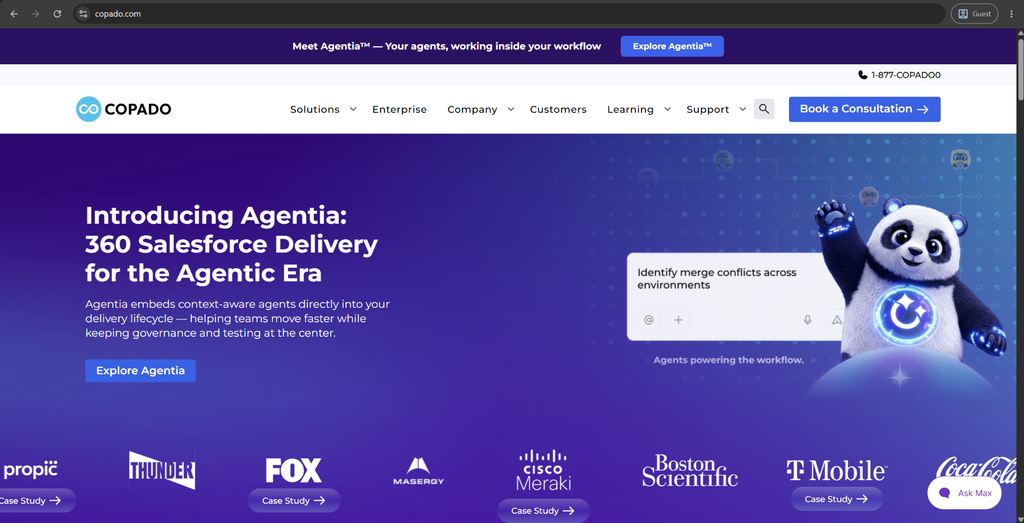
Copado is a Salesforce-native, end-to-end DevOps platform that covers the complete application lifecycle from planning and version control through CI/CD and deployment. Over 1,400 customers use Copado, creating a thriving user community that shares tips and best practices for different aspects of the solution. What sets Copado apart from competitors is that AI and automation capabilities aren’t considered bolt-on add-ons here, but are built on a deep level throughout the release process.
The “Org Intelligence” feature highlights this integration the most – it builds a live map of an org’s architecture, dependencies, and risk areas, which is not something that most DevOps competitors can offer. Recently, Copado also launched Agentia, a set of context-aware AI agents that are available from within the delivery pipeline to help with governance and testing as changes move through. As for the testing side, Copado’s low-code robotic test capability means that quality checks can be automated without writing traditional test scripts beforehand.
Customer score:
- G2 — 4.4/5 points based on 330 customer reviews
Key advantages:
- Combines planning and release management with built-in CI/CD into one integrated Salesforce platform.
- AI-driven “Org Intelligence” provides a live view of architecture and dependencies across every connected org.
- Built specifically for Salesforce admins and developers, often described as easier to pick up than most competitors.
- Integrates with external CI servers and testing suites already used across a team’s broader pipeline.
Potential shortcomings:
- New users often deal with a steep learning curve during initial setup.
- Noteworthy performance slowdowns are reported whenever the platform manages larger or more complex Salesforce org environments.
- No public pricing, so teams need a custom quote to compare costs against competitors.
Customer reviews:
- Renah A. – G2 – “What I like most about Copado DevOps is how much it streamlines Salesforce release management and the overall deployment process. It provides a clear, structured way to manage user stories, version control, testing, and deployments all in one platform. The automation features reduce manual effort, and the end-to-end visibility across the development pipeline makes collaboration between teams noticeably smoother. I also appreciate that it supports continuous integration and improves deployment tracking from start to finish, so it’s easier to see what’s happening at each stage.”
- Ishaan J. – G2 – “Copado DevOps stands out to me for how well it streamlines Salesforce release management. It unifies user stories, version control, testing, and deployments on one platform with a clear, structured workflow, and its automation cuts down significantly on manual work. The end-to-end pipeline visibility also makes cross-team collaboration much smoother, and with CI support, deployment tracking stays transparent at every stage.”
Pricing at the time of writing:
Copado offers no specific pricing data on its official website.
Best for:
If your enterprise Salesforce team is trying to manage more than one release stream simultaneously, choosing Copado would make sense due to its AI and automation layers designed for complex release management. Organizations with a dedicated DevOps or platform team will get the most value out of this as the tooling requires a degree of infrastructure responsibility past something that a single manager can handle individually. Copado’s also good for teams that want a direct line of sight into risk and dependencies before release.
GRAX
GRAX isn’t an application focused on deployments, unlike most names on this list, but on backup, archiving, and data reuse within Salesforce. Companies use it to guard against losing historical data and recover what was lost or changed, combined with data retention capabilities for inactive records that have to be accessible without bloating the overall org size. Its coverage extends beyond a single business unit due to the support of Sales Cloud, Service Cloud, Commerce Cloud, and other Salesforce cloud environments.
A distinguishing point of GRAX is the fact that customer data backups are stored in the customer’s own cloud environment, providing companies the direct ownership over their business data. Where the uniqueness kicks in again is the Time Machine feature and its point-in-time recovery capabilities down to a single record, object, or org state. Stepping away from recovery for a bit, GRAX also lets teams feed archived data into analytics and machine learning (ML) training sets, essentially turning it into a data reuse platform.
Customer score:
- AppExchange — 5/5 points based on 32 customer reviews
Key advantages:
- Captures Salesforce data, metadata, custom objects, and attachments across multiple connected clouds in one backup platform.
- Stores backups directly in a customer-owned cloud environment, providing businesses with full ownership of their historical data.
- Supports point-in-time restoration down to a single record, an object, or an entire org state.
- Reduces the storage costs of Salesforce by archiving inactive data without deleting it or losing access.
- Lets teams reuse historical data for analytics and machine learning purposes beyond simple delivery.
Potential shortcomings:
- Focused primarily on backup, archive, and data reuse rather than release management or CI/CD deployment.
- Some reviewers recommend keeping an eye on storage costs as archived data volumes grow.
- Uses a customer-managed cloud environment, adding infrastructure considerations some smaller teams might not want to deal with.
- Suited mostly for businesses with complex, multi-org data needs, making it overkill for many smaller teams.
Customer reviews:
- Shane Byrne – AppExchange – “Taking a moment to acknowledge our partners at Grax. We have worked together for the past 2 years to grow our customers understanding of their historical data and how best to understand their data ownership with Grax. With an amazing team of experts in this field, the sky is the limit for Grax and we hope to continue our partnership for many years to come in the UKI & EMEA markets.”
- Venu Kaparaboina – AppExchange – “The GRAX app is extremely simple to install and activate the backup process We have been using GRAX to back up business-critical objects using Heroku and AWS on one-time/Incremental backups without any issues. Also, data restore is simple and works without any problem and a very friendly user interface to set up the schedule Jobs. Finally, the end to end setup support from GRAX is very flexible and great support.”
Pricing at the time of writing:
GRAX offers no specific prices on its pricing page, but it does offer some information about its licensing tiers:
- Daily Plan — offers daily backups, granular recovery, PITR (point-in-time recovery), sandbox seeding, built-in parquet data lake, and more
- Continuous Plan — expands upon the previous option with continuous backup, data archival & data retention policy management
- Continuous + Intelligence Plan — adds one-click data lakehouse deployment for advanced analytics to the previous offering
Best for:
GRAX fits better to organizations that are concerned less with the automated deployment and more with protecting and retaining said data. It wasn’t designed as a release automation tool, so it fits better for companies that operate within regulated industries or those with prolonged data retention requirements due to how much control over backup storage locations it gives to its clients. This would also be ideal for companies looking to put their historical data to good use via reporting and analytics as opposed to simply using backups as just a defensive measure.
Own Your Salesforce Backups
See how GRAX stores data in your own cloud.
Gearset
Gearset takes care of all Salesforce development lifecycle stages in the same platform, including deployments, CI/CD, testing, code review, and backups. The platform was developed to work with both developers and administrators, even the ones with limited technical knowledge in the field. More than 3,000 clients rely on Gearset for their needs, including plenty of large enterprise players like IBM and McKesson.
The Code Reviews feature stands out a lot here, scanning over 300 metadata types (not just Apex) to flag issues against the Salesforce Well-Architected framework. Gearset even allows non-developers to conduct automated UI tests using screen recordings and simple instructions instead of lines of code. The combination of breadth and accessibility is key to how Gearset distinguishes itself from solely developer-focused tools.
Customer score:
- G2 — 4.7/5 points based on 307 customer reviews
- AppExchange — 4.98/5 points based on 66 customer reviews
Key advantages:
- Covers the complete DevOps lifecycle in one platform, with deployments, CI/CD, testing, code review, backups, and sandbox seeding.
- Widely praised for having an intuitive interface that both developers and admins can comfortably use.
- Can compare Salesforce metadata across environments, highlighting differences to double-check before deployment.
Potential shortcomings:
- Comparison speed tends to drop noticeably when dealing with larger, complex Salesforce orgs.
- Created around a Git-based workflow, adding friction for admin-heavy teams that aren’t familiar with version control and other similar concepts.
- Smaller teams might find that the full DevOps lifecycle is way too much for their day-to-day activities.
- Onboarding support and dedicated DevOps architects are all aiming at larger, more complex clients
- Coverage of areas like deployments and testing in the same platform might lead to a far longer evaluation process than with most single-purpose tools
Customer reviews:
- Paul B. – G2 – “What I like best about Gearset DevOps is how powerful it is. It gives me excellent visibility into merge requests, deployments, merge conflicts, code reviews, and rollback options, making the entire release process much easier to manage. The automation and overall workflow have significantly improved our development and deployment process. It’s an incredibly capable platform and has become an essential part of our DevOps toolkit.”
- Jacklyn J. – G2 – “The core deployment process is straightforward and comes with a variety of admin-focused features that many other Salesforce DevOps companies simply don’t provide. It also offers a broad set of useful tools for managing the metadata lifecycle end to end. On top of that, the customer support team is a real strength: they’re professional, responsive, and genuinely helpful when you’re navigating the platform’s features.”
Pricing at the time of writing:
Gearset’s entire solution is provided in three different pricing tiers:
- Starter is $215 per user per month, an essential pack of DevOps features, like metadata comparison/deployment, source control, full deployment history, clone packages, live chat support, and more
- Teams is $320 per user per month, with scheduled deployments, deployment rollback, support for role-based access control, issue tracking integration, and so on
- Enterprise doesn’t have any public pricing and adds SAML to all the previously mentioned features
Best for:
For companies that aim to cover the whole DevOps lifecycle in depth without a major learning curve, Gearset is the best bet. It’s intended for both developers and administrators without favoring a specific side over the other one. Gearset’s at its most useful in fast-growing mid-to-large organizations, especially those that are already users of tools like Jenkins or CircleCI, with which Gearset integrates straight out-of-the-box. Teams that want to involve non-developers into testing should also take a look at Gearset’s capabilities, with its plain-language approach and screen-recording instructions.
AutoRABIT
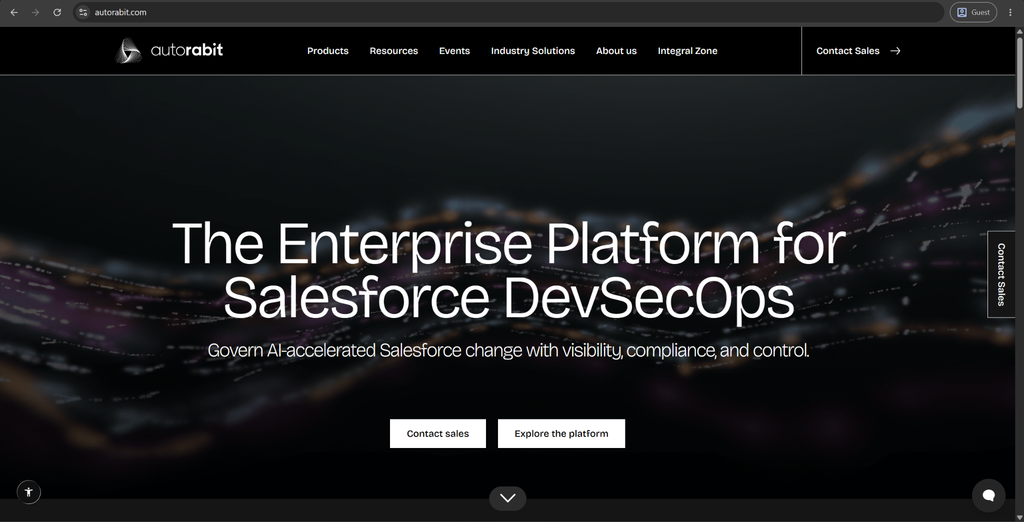
AutoRABIT is a DevSecOps platform for Salesforce that provides release automation, security, and compliance capabilities. CI/CD, static code analysis, backup and recovery, and security posture management are all kept under the same platform here. On-premises implementation sets AutoRABIT apart from many competitors, making it far more appealing for businesses with strict infrastructure or data residency rules.
The Metadata Mastery feature discovers and preserves all the interdependencies between Salesforce metadata types, ensuring that those connections would still remain during and after a restore. Release health is also something AutoRABIT keeps a close eye on by tracking various deployment metrics and code coverage over time.
Customer score:
- G2 — 4.3/5 points based on 193 customer reviews
Key advantages:
- Combines release automation, static code analysis, backup and recovery, and security posture management in the same DevSecOps platform.
- Provides an on-premises deployment option for businesses with strict requirements for infrastructure or data residency.
- Integrates with a wide range of external tools: GitHub, GitLab, Jenkins, Azure DevOps, and Jira.
- “Selective Restore” capability restores specific data or metadata without restoring an entire org.
- Monitoring capabilities allow for deployment metrics, code coverage, and error trends to be tracked over time, looking for patterns that might grow into significant issues over time.
Potential shortcomings:
- A steep learning curve, especially in terms of platform configuration and merge conflict resolution.
- Performance slowdowns are noted over multiple user reviews during large or concurrent metadata deployments.
- Both documentation and support response times seem to be less than satisfactory compared with what competitors offer.
Customer reviews:
- Nancy G. – G2 – “AutoRabit makes the release process easier and more controlled. I like that it provides clear visibility into deployments ,version control and mera data changes which helps reduce manual efforts and mistakes . The automated backups and compliance features are also helpful because they add an extra layer of security for Salesforce environments”
- Alok S. – G2 – “I find AutoRABIT very easy to set up, thanks to its configuration process, which involves simple point-and-click actions. It integrates seamlessly with tools like Salesforce and GitHub, streamlining our deployment processes significantly. The ability to group multiple commits into a single release and push various changes together simplifies deployments. AutoRABIT reduces the need for a large DevOps team, making it a cost-effective solution for organizations with limited resources.”
Pricing at the time of writing:
While AutoRABIT doesn’t offer specific pricing information on its website, it does offer a few options to start interacting with the service provider in question – such as requesting a demo, getting a code assignment, or getting a risk analysis.
Best for:
AutoRABIT works best for larger organizations that have strict security, compliance, or data residency requirements. Its DevSecOps focus and on-premises deployment options address the needs that most competitors don’t even begin to cover. It will be most well-suited for enterprises with a specialist dedicated to its implementation and configuration, as a seasoned user would reap more benefits from the breadth of configuration options available. AutoRABIT also fits teams that already have a dedicated ecosystem of sorts, be it ServiceNow, Jira, or Azure DevOps.
Blue Canvas
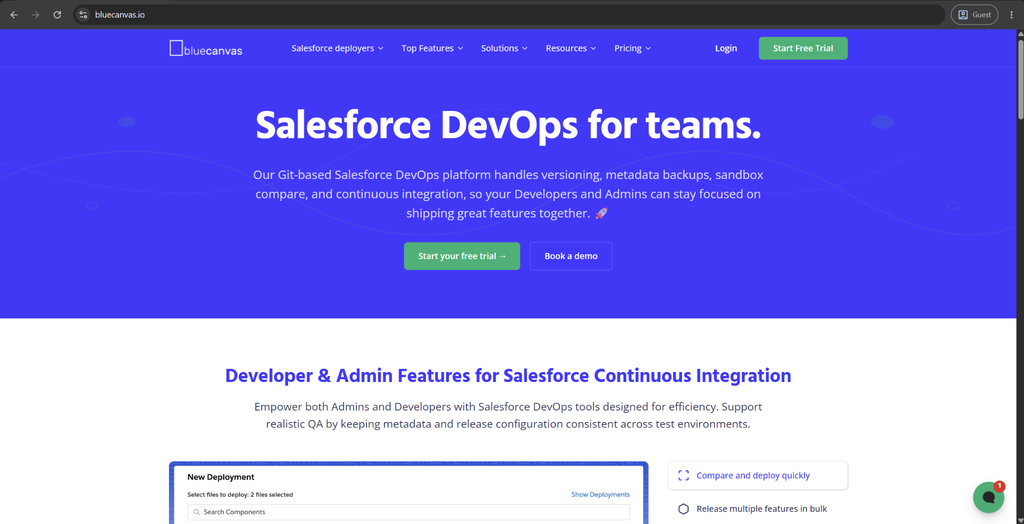
Blue Canvas is a Git-native DevOps platform that was created specifically for Salesforce-related tasks. It aims to deliver Git’s version control benefits to administrators and developers alike without the need to interact with the command line for it to happen. Individual sandboxes and environments are mapped as their own Git branches here, keeping releases organized as they move through the pipeline.
A git-diff style comparison represents one of the more unconventional features of Blue Canvas, surfacing thousands of metadata differences between orgs in the matter of seconds. Metadata backups are also conducted automatically on every save, creating a continuous safety net for Salesforce teams without the need to pre-configure backup processes for that. There’s a built-in code review feature that improves the efficiency of catching issues in code modifications, and the ability to set deployment permissions per environment keeps production locked down to only the users that have the permissions to do so.
Customer score:
- AppExchange — 4.93/5 points based on 15 customer reviews
Key advantages:
- Allows Salesforce admins to work through Git-based version control without using the command line at all.
- Backs up metadata automatically on every save, creating continuous rollback points without a separate backup step.
- Capable of comparing Salesforce orgs with thousands of metadata differences in the matter of seconds using a git-diff style interface.
- Completed a full third-party SOC 2 audit, making it far more useful to teams with formal compliance requirements.
Potential shortcomings:
- Has narrower lifecycle coverage than larger suites do, without the same depth in terms of test automation or sandbox seeding.
- Mostly targets smaller and mid-sized teams due to its limited customization capabilities for multi-stage CI/CD pipelines.
- Focuses specifically on Salesforce, necessitating the adoption of other tools alongside it for businesses that manage DevOps across multiple platforms.
Customer reviews:
- Richard Clark – AppExchange – “I’ve known the BlueCanvas team for several years but only recently had a chance to use the product for a real client. It’s been a valuable tool for comparing sandboxes with multiple changes happening in parallel. Using BlueCanvas I gained full metadata versioning without doing more than an initial login. I was then able to track and resolve merge conflicts and find versions specific to individual change requests that all hit the same page layouts and apex code. I was even able to pull changes from production back down to update stale sandboxes where I didn’t want to refresh them yet. I recommend for any team using change sets or metadata api to sign up for a trial ASAP!”
- Andrea Sloan – AppExchange – “We’ve been using Blue Canvas for just over a year and we find it very intuitive. It is very easy to learn, navigate, and deployments are very quick. I like the fact that it maintains version control and tracks metadata changes across the various sandboxes and production. Should something go wrong, we can easily rollback our changes which provides peace of mind. The customer service is excellent and our account rep has gotten back to us within 24 hours with clarity on any questions I’ve had. The only reason I cannot give this a 5 is because the tool does not allow you to preschedule a deployment for a certain time and there are a few features that do not migrate as part of the deployment where I have to either migrate them manually or update these as post deployment steps. Even so, the vendor has taken my observations into consideration as improvements within the near future.”
Pricing at the time of writing:
There’s little-to-no specific pricing data on Blue Canvas’s official website aside from general information about its pricing options. There’s a primary option called Blue Canvas Core – Enterprise that’s only available for a quote, a standalone CPQ Deployer product costing $300 per month billed yearly, and a free tool called Profiles and Permissions.
The FAQ section also details that there’s a one-time $3,000 setup fee that covers onboarding, configuration, and go-live support.
Best for:
Blue Canvas appears to be a good fit for smaller or mid-sized Salesforce teams looking for Git-based DevOps discipline without undertaking a full-scale platform adoption process. This tool appeals strongly to admin-led teams due to its goal to make Git accessible without the need to learn complex command-line workflows. Additionally, companies prioritizing speed and time-to-value over extensive personalization might find that Blue Canvas fits them better than a lot of its competition.
Conclusion
It’s pretty easy to see why a Salesforce-native team would choose Flosum in the highest-security, highest-compliance scenario, but that’s not the only option worth considering. The tools covered in this article take genuinely different approaches: some lean into Git-based workflows, others focus on data protection, and some aim for broader lifecycle coverage. Therefore, the right choice will depend less on what has the highest G2 score and more on how your team works.
Instead of choosing the name with the biggest market share, it’ll be worth revisiting your own business priorities: team size, technical comfort with Git, compliance obligations, and existing tooling. A platform that matches those specifics will serve your company better than chasing a universal “best” answer that does not truly exist in this case.
Match the Tool to the Need
See how GRAX fits a data protection strategy.
Key Takeaways
- Flosum’s 100% Salesforce-native architecture is its core strength, but that same design means certain limitations.
- No single alternative is a universal replacement, as each takes a different approach.
- Teams already comfortable with Git may find better options outside Flosum’s proprietary version control system
- Compliance-heavy organizations should weigh audit trail depth and retention requirements carefully
- The right choice depends on a team’s technical skill mix far more than on popularity
Frequently Asked Questions
What is the best Flosum alternative?
There is no universal answer. Gearset tends to be great for teams that want broad DevOps lifecycle coverage without a steep learning curve. Copado suits larger enterprises aiming for AI-driven automation on top of release management. If your priority is data protection instead of deployment, GRAX would be a better match than any other option here.
Do I need a Salesforce-native tool, or is a Git-based platform enough?
Ultimately, it depends entirely on how your team works. If your engineering organization is already Git-fluent and wants Salesforce DevOps in existing Git workflows, Gearset or Blue Canvas should feel more natural. If your team is admin-led, or if you have strict compliance requirements, a native tool like Flosum might be worth a trade-off.
What is the difference between a Salesforce DevOps tool and a backup/archive tool like GRAX?
A DevOps tool like Flosum, Copado, or Gearset is built to manage deployments, such as moving code and configuration changes through sandboxes and into production safety. A backup/archive tool like GRAX serves a different purpose: to protect and preserve Salesforce data itself, so that it can be restored or reused later on. Some businesses even start using both at some point, as their purposes are different enough for that.