This post was co-authored by Kimmo Salmela, Communications Manager at Documill
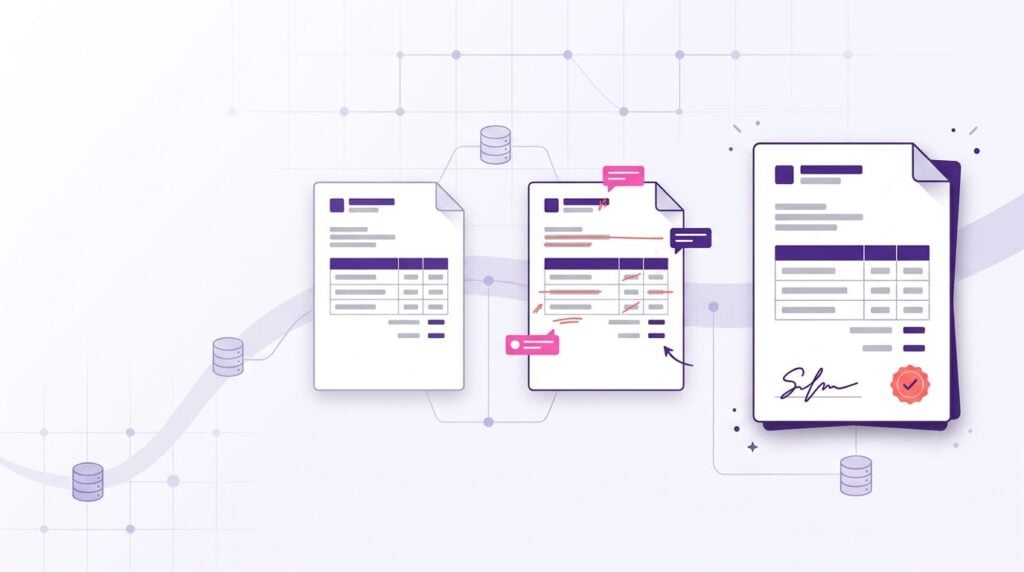
Quotes slow down when the numbers, terms, and signatures live outside Salesforce. Generating quotes and contracts from opportunity data, approving them in a structured workflow, and signing them in the same place removes most of the manual steps, and it keeps the final terms on the record where renewal teams and AI can find them.
By the time a deal reaches the quote stage, the hard part should be over. The buyer is engaged, the scope is agreed, and everyone wants to get to a signature. Yet this is often where momentum stalls.
A complex quote can pull in a rep, a deal desk analyst, finance, and legal. Each one copies numbers out of Salesforce, pastes them into a document, checks a price list, and sends it back for another round. Every manual step adds a day, and every copy-paste adds a chance for the wrong number or an outdated term to reach the customer.
What does a slow, manual quote process cost?
The cost shows up in two places: seller time and contract value.
Salesforce’s 2026 State of Sales research found that the average seller spends 40% of their time selling. The rest goes to administration, data entry, and internal work, and rebuilding a quote by hand is part of that work.
The larger cost is what happens to the terms. World Commerce & Contracting’s research on contracting excellence puts average contract value erosion at 8.6%, with the best performers losing a little over 3% and the worst more than 20%. Not all of that starts at the quote stage, but a discount that doesn’t match its approval or a clause from an outdated template adds to it.
Most of the delay comes from a few familiar handoffs:
- Re-keying data. Opportunity, product, and pricing data already lives in Salesforce, yet someone copies it into a document by hand.
- Hunting for the right template. Several versions of the same quote or contract sit on shared drives, and the rep has to guess which one legal approved last.
- Approvals by email. Discount and non-standard term approvals happen in inbox threads, with no record on the opportunity of who approved what.
- Signing in a separate tool. The approved PDF is exported, uploaded somewhere else, and the signed copy has to be brought back into Salesforce.
- Version drift during negotiation. Redlines come back as attachments, and nobody is sure which version is final.
How can you tell if your quoting process is slowing deals down?
If you lead Sales or Commercial Operations, three questions will tell you quickly how much your quote process is costing you.
- How many people and manual steps does one complex quote take? Walk through a real one from start to finish. Count the handoffs, the documents opened outside Salesforce, and the times someone retyped data that already lived in the opportunity.
- How often do pricing errors or outdated terms slip through? Most teams catch the obvious mistakes. The costly ones are the discount that didn’t match the approval, or the clause from last year’s template that nobody noticed.
- How does an approved quote actually get signed? If “approved” still means exporting a PDF, uploading it to a separate tool, and chasing the signed copy back into Salesforce, the last mile of your process is happening off-platform.
How does generating quotes from Salesforce data reduce errors?
The fix isn’t a faster copy-paste. It’s generating the quote directly from Salesforce data, so the numbers on the page are the numbers in the record.
Documill does this right inside Salesforce. Dynamic templates pull live opportunity, product, and pricing data straight into the document. Conditional logic and nested product tables handle the complexity that usually forces people back into spreadsheets: bundles, tiered pricing, regional terms, and optional line items. Clause libraries keep the approved language consistent, so an outdated term can’t sneak in from an old file on someone’s desktop.
The result is fewer people touching each quote, fewer review cycles, and a document your team can send with confidence. For teams that work across regions, one template can also produce the same quote in multiple languages through built-in translation management.
Documill works with or without a CPQ. Komax, a Swiss company that runs Salesforce CPQ at the core of its quoting, chose Documill Generate largely because it handles the demands of CPQ integrations that simpler document tools can’t. With the right integrations, Documill can also pull live data from ERP systems such as SAP, Oracle, or Microsoft Dynamics into the same document.
Here is how the same quote moves through each approach:
| Step | Manual process | Generated in Salesforce with Documill |
| Product and pricing data | Copied from the opportunity into a document or spreadsheet | Pulled from opportunity, product, and pricing fields when the document is generated |
| Bundles and tiered pricing | Rebuilt by hand for each deal | Handled by conditional logic and nested product tables in the template |
| Terms and clauses | Pasted from an old file or a shared drive | Inserted from a clause library of approved language |
| Approvals | Requested and given over email | Routed through internal approvals inside Salesforce |
| Signature | Exported to a separate e-signature tool | Signed with built-in e-signature, including by external signers |
| Final version | A PDF in an inbox or on a shared drive | Stored with the record in Salesforce or SharePoint |
Our Real-Life Sales Use Cases page covers this scenario on sales quotes and proposals.
How should approvals work for discounts and non-standard terms?
Approvals should apply rules you define once to every quote, and the reviewer should see the exact document the customer will receive. When approvals run over email, the reviewer often sees a summary instead of the document, and the decision never makes it back to the opportunity.
Documill includes internal approvals, so a quote can go to a reviewer inside Salesforce before it reaches the customer. Which approval features are available depends on your Documill edition. A workable setup for Sales Ops covers three things:
- Thresholds. Decide which discounts, payment terms, or contract lengths need review, and by whom. Each extra approval step adds waiting time, so keep the list short.
- Pre-approved alternatives. Add approved clause variants to the clause library, so common requests such as a longer payment term don’t need a fresh legal review every time.
- A record of the decision. Keep the approval with the quote in Salesforce, so the renewal team can see later why a non-standard term was accepted.
As a result, we’ve significantly streamlined our workflows — cutting many of our processing times nearly in half — while improving the accuracy and clarity of the information we deliver to clients.
– Conquer Credit Management, USA
How do you keep quotes consistent across regions and languages?
Use one governed template per document type and let data on the record decide what changes, instead of keeping a separate copy for each region. Separate copies drift: one region updates a clause, another doesn’t, and the difference only surfaces when a customer compares two quotes.
In Documill, conditional logic selects regional terms based on fields on the record, and the translation management described above produces each language version from the same template. Templates work across Sales Cloud, Service Cloud, and Experience Cloud.
For high-volume runs, such as renewal quotes across a whole book of business, Documill also supports batch generation and an API.
What does one quote look like from start to finish?
Take an illustrative example: a rep needs a three-year quote with a product bundle, a tiered discount, and a non-standard payment term for a customer in Germany.
In a manual process, the rep exports the product lines to a spreadsheet, looks up the current price list, copies the totals into last quarter’s template, and emails the deal desk about the discount. Legal reviews the payment term in a separate thread, someone translates the terms section, and the PDF goes out through another tool for signature.
Generated from Salesforce, the rep opens the opportunity and creates the quote. The template pulls in the product lines and pricing, applies the discount tier, and inserts the German-language terms. If you have set an approval threshold for payment terms, the quote goes to the approver, who reviews the document itself. The customer signs, and the signed copy lands back on the opportunity. GRAX then keeps the history of those records for the renewal three years later.
This is an illustrative workflow, not a documented customer outcome.
How does an approved quote become the contract without being rebuilt?
Build the quote and the contract from the same template and the same Salesforce data. When the customer accepts the quote, the agreed figures and approved clauses carry over into the contract, so nobody retypes them and the terms the customer accepted are the terms they sign.
In many teams, legal rebuilds an accepted quote as a separate contract document. Each rebuild is another chance for a price, a discount, or a clause to change without anyone noticing. In Documill, the contract takes its figures from the record and its terms from the clause library, and it goes out for e-signature in the same workflow.
Negotiation can happen in the same document. The buyer’s procurement and legal teams can comment and redline alongside your own legal, credit, and compliance teams, with role-based access deciding who can see and change what. Every comment and change stays traceable, instead of being spread across email attachments.
A Single Solution to Unify Your Document Workflows
Documill helps you manage every stage of your document lifecycle in one powerful solution. From creation to review, approval to e-signature, our document workflow solution is built to simplify workflows, eliminate manual effort, and scale with your business—all within Salesforce.
How do you get from approved to signed without leaving Salesforce?
The gap between “approved” and “signed” is where many deals lose days. A separate e-signature tool means another license, another integration to maintain, and another place where the final version of the contract might live.
Documill includes built-in, legally binding e-signatures that comply with eIDAS, GDPR, and FDA 21 CFR Part 11. Quotes and contracts move through structured approvals, out for signature, and back into Salesforce in one workflow. Customers and other external signers can review, redline, and sign without a Salesforce license. Every action is captured in an audit trail, with storage in Salesforce or SharePoint.
For Sales Ops, that means one process to manage instead of three, and a signed contract that lands on the record it belongs to.
Before you move signing into Salesforce, confirm four things with legal and IT:
- Which standards apply. eIDAS, the EU regulation on electronic identification and trust services, matters for EU signers, and FDA 21 CFR Part 11 matters in FDA-regulated work such as life sciences.
- Who signs. External signers should be able to review and sign without a Salesforce license.
- Where the signed copy lives. Decide whether it stays in Salesforce or goes to SharePoint, and who can see it.
- What the audit trail records. Check that it captures what your compliance and retention policies require.
How do you show auditors that quote and contract data is secure?
Show them independent certification and a complete audit trail. Documill holds ISO 27001 certification, the international standard for information security management, certified by Bureau Veritas, and every action on a quote or contract is logged.
Quotes and contracts carry pricing, customer data, and product specifications, so security teams tend to review them early. Documill is also TISAX certified. TISAX is the European automotive industry’s information security standard, and many carmakers expect suppliers and partners to hold it before they share sensitive data. For companies in or around automotive, an existing TISAX label can shorten vendor assessment.
What does Documill add beyond merging data into a PDF?
Documill covers the whole journey from quote to signed contract without anyone leaving Salesforce. Plenty of tools can merge data into a PDF; Documill adds the steps around it:
- It lives inside Salesforce. Documill works in the Salesforce UI and across Sales, Marketing, Service, Experience, Manufacturing, and Automotive Clouds. Reps don’t learn a new system; they click a button they already see.
- Generation, collaboration, approvals, and signing in one. Many companies stitch together a document generator, a redlining tool, a workflow tool, and an e-signature service. Documill does all of it, including embedded e-signatures that comply with eIDAS and GDPR. No third-party signing tool is required, unless you want one.
- Real contract collaboration. Your customer’s buyers and lawyers, plus your own credit, legal, and compliance teams, can comment on and redline the same document with role-based access. Negotiation stays in a controlled, traceable space instead of a messy email thread.
- A clause library and no-code workflows. Legal maintains approved clauses once, and templates pick the right ones automatically. Admins build and change approval flows without writing code.
- Built for many markets. One template can serve several countries and languages, or you can run market-specific templates in a single workflow. Your call.
- Audit-ready by default. Every action is logged, and finished documents are stored with version control in Salesforce or SharePoint.
In short, this flow isn’t a custom project. It’s what Documill does.
[Pull quote:] “With our highly customized and complex data model, the manual work was time-consuming and risky with errors. And so was rendering the often complex document layouts, for instance, in product tables. We needed a better solution badly [and found it in Documill]!” – Leading European Medical Device Manufacturer
Why does the signed contract matter at renewal?
A signed quote closes this deal, but it also becomes the starting point for the next one. At renewal, someone will ask what was quoted, which discount was approved, and which terms were negotiated.
That’s where GRAX complements Documill. GRAX preserves the full history of your Salesforce data, including quote, approval, and negotiation records, in the storage you own. Your team gets reliable renewal context and an audit trail. Your analytics and AI teams get a queryable source of historical deal terms through GRAX Data Lake.
Salesforce shows the current state of each record. If someone edits the opportunity after signature, or old quotes are deleted to save storage, the earlier values are gone unless something kept them. GRAX keeps every version of the records you choose to back up, so the state at signature is still there when the renewal starts.
Here is where a renewal team finds each answer when Documill and GRAX work together:
| Renewal question | Where the answer comes from | Product |
| What did we quote last time? | The final quote document, stored with the opportunity | Documill |
| Which discount was approved, and by whom? | The approval record kept with the quote | Documill |
| What did the opportunity and quote say when the contract was signed? | The version of those records saved at that point in time | GRAX |
| How have terms changed across several renewals? | Version history queried with your team’s analytics tools | GRAX |
Together, the two cover the revenue lifecycle from both sides. Documill makes the quote fast and accurate today, and GRAX makes sure that record is still complete and accessible when the renewal comes around.
For how routing, documents, and history fit together across the whole customer lifecycle, read Agentic CRM runs on trusted operational history and reliable workflows.
Which companies already run quote-to-contract with Documill?
Manufacturers, medical device makers, and automotive groups use Documill to standardize how quotes and contracts are produced, negotiated, and signed in Salesforce. Three examples:
- A leading European medical device manufacturer. It started with high-volume quotes and contracts for hospitals and clinics, from standard products to fully equipped operating rooms. Manual document work on a complex data model was slow and risky. With Documill, the company standardized its templates, automated the flow from creation to signature, and later added collaborative contract negotiation with customers. As one of its representatives put it: “Documill ticked all the boxes.” Read the story.
- Volkswagen Group. Volkswagen set out to rethink its centralized contract management so that it would be scalable, automated, embedded in daily operations, and fully compliant with its IT security standards. The result is a streamlined contract workflow built on Salesforce, Zuora, and Documill. Watch the video to see how it came about.
- Komax. Komax had relied on a homegrown tool to generate quotations for years, but the tool had reached end of life and become too complex to maintain. With Salesforce CPQ at the core of its quoting, Komax needed a solution that could handle the complexity of its quotations and fit how its sales teams work. It chose Documill Generate. Read the Komax story.
Where should Sales Ops start?
Pick one recent complex quote and count every person, tool, and manual step it took to get it signed. That number is usually the clearest case for change. Most of those steps disappear once the quote is generated from Salesforce data and signed in the same place.
A rollout that sticks usually follows this order:
- Pick one quote type. Choose a high-volume, moderately complex quote, not the hardest deal you have.
- Consolidate the template. Merge the versions in circulation into one, and map each field to its Salesforce source.
- Set approval thresholds. Agree on the few discount and term rules that need review.
- Move signing in. Send the next batch of approved quotes for e-signature from Salesforce.
- Measure the change. Track time from quote request to signature, revision rounds per quote, and approval exceptions, and compare them with the baseline you counted.
What is the bottom line for Sales Ops?
A quote that turns into a signed contract without a single retyped number isn’t a dream. It’s live Salesforce data and a well-built workflow on one template. With Documill, you also get collaboration, e-signing, audit trails, and certified security in the same package. Your business customers get answers faster, your legal team sleeps better, and your reps get back to selling.
Frequently asked questions
Do I need a separate e-signature tool if I use Documill? No. Documill includes built-in, legally binding e-signatures that comply with eIDAS, GDPR, and FDA 21 CFR Part 11.
Can Documill use our existing quote templates? Yes. You can start from the document templates you already use and connect them to Salesforce data.
Can customers sign without a Salesforce license? Yes. External signers can review, redline, and sign Documill documents without a Salesforce license.
Is Documill a contract lifecycle management (CLM) platform? Documill covers document generation, collaboration, redlining, approvals, e-signature, and storage integrations inside Salesforce. It doesn’t include features such as obligation tracking or the AI-driven contract analysis found in some dedicated CLM platforms.
How does GRAX work with Documill? Documill and GRAX are separate products that can work in tandem. Documill produces the quote and contract in Salesforce, and GRAX keeps the history of the Salesforce records behind them in storage you own, for renewal context, audit, and analytics.
Start a free trial of Documill →
Kimmo Salmela is a communications manager at Documill. Earlier on, he worked in several industry and solution marketing and communication positions at Nokia. Now Kimmo focuses on online collaboration technologies and their future prospects for businesses.